
Conversational AI is transforming how construction teams interact with project documents. Instead of hunting through hundreds of pages of specifications and thousands of drawing sheets, teams can now ask questions in plain English and get answers in seconds.
But not all AI tools are created equal. General-purpose chatbots like ChatGPT and Claude excel at many tasks, but construction document analysis presents unique challenges: massive file sizes, complex cross-references between specs and drawings, visual interpretation of architectural and engineering plans, and the need to understand industry-specific terminology and standards.
What We Tested
We evaluated six AI tools: Specbook AI, Microsoft Copilot, Google Gemini, ChatGPT, Claude, and DataGrid (recently acquired by Procore).
Our test used a simplified but representative scenario: a complete set of technical specifications and project drawings uploaded to each platform. We then evaluated each tool across six criteria:
- Setup — Can you upload large files? How long until they're ready to query?
- Result Quality — Can it answer simple lookups, visual questions, cross-document queries, and run complex tasks?
- Citation Accuracy — Does it cite specific sources you can verify?
- Collaboration — Can teams share projects without duplicating setup?
- Security & Privacy — How is your sensitive project data protected?
- Construction-Specific Features — Does it understand specs, drawings, and RFIs as distinct entities?
Jump to the methodology for details on our test documents and scoring approach.
Comparison Summary
| Criterion | Specbook | Copilot | Gemini | ChatGPT | Claude | DataGrid |
|---|---|---|---|---|---|---|
| Setup | ||||||
| Large file upload | ✅ | ✅ | ✅ | ✅ | ❌ | ✅ |
| File format support | ✅ | ✅ | ✅ | ✅ | ✅ | ✅ |
| Processing time | ⚠️ | ✅ | ✅ | ✅ | ⚠️ | ⚠️ |
| Document organization | ✅ | ❌ | ❌ | ❌ | ❌ | ⚠️ |
| Result Quality | ||||||
| Simple spec questions | ✅ | ✅ | ✅ | ✅ | ❌ | ✅ |
| Drawing text/schedule queries | ✅ | ❌ | ✅ | ❌ | ❌ | ✅ |
| Visual drawing analysis | ✅ | ❌ | ❌ | ❌ | ❌ | ✅ |
| Complex spec queries | ✅ | ⚠️ | ⚠️ | ❌ | ❌ | ❌ |
| Spec + drawing cross-reference | ✅ | ✅ | ✅ | ✅ | ❌ | ✅ |
| Complex calculations | ✅ | ❌ | ✅ | ❌ | ❌ | ✅ |
| Long-running tasks | ✅ | ❌ | ❌ | ❌ | ❌ | ❌ |
| Citation Accuracy | ||||||
| Source citations | ✅ | ❌ | ⚠️ | ❌ | ❌ | ✅ |
| Verification | ✅ | ❌ | ⚠️ | ❌ | ❌ | ⚠️ |
| Collaboration | ||||||
| Shared projects | ✅ | ✅ | ❌ | ✅ | ✅ | ✅ |
| Single setup | ✅ | ✅ | ❌ | ✅ | ✅ | ✅ |
| File sync | ✅ | ✅ | ❌ | ✅ | ✅ | ✅ |
| Permission controls | ✅ | ✅ | ✅ | ⚠️ | ⚠️ | ✅ |
| Security & Privacy | ||||||
| Compliance | ✅ | ✅ | ✅ | ✅* | ✅* | ✅ |
| Data residency | ✅ | ✅ | ✅ | ✅* | ✅* | ✅ |
| Training policy | ✅ | ✅ | ✅* | ✅* | ✅* | ✅ |
| Access controls | ✅ | ✅ | ✅ | ✅* | ✅* | ✅ |
| Construction-Specific | ||||||
| First-class entities | ✅ | ❌ | ❌ | ❌ | ❌ | ⚠️ |
| Document versioning | ✅ | ❌ | ❌ | ❌ | ❌ | ⚠️ |
| Precedence handling | ✅ | ❌ | ❌ | ❌ | ❌ | ❌ |
| Cross-referencing | ✅ | ❌ | ❌ | ❌ | ❌ | ⚠️ |
* Enterprise/Business plans only. Free and consumer plans may use data for training and lack SSO, audit logs, and compliance certifications.
Setup
Getting documents into the system is the first hurdle—and for construction projects, it's a significant one. A typical commercial project includes hundreds of specification pages and thousands of drawing sheets, often totaling gigabytes of data. We evaluated whether each tool can handle large file uploads natively, which file formats it supports, how long processing takes, and whether it automatically organizes documents into meaningful categories.
Specbook AI
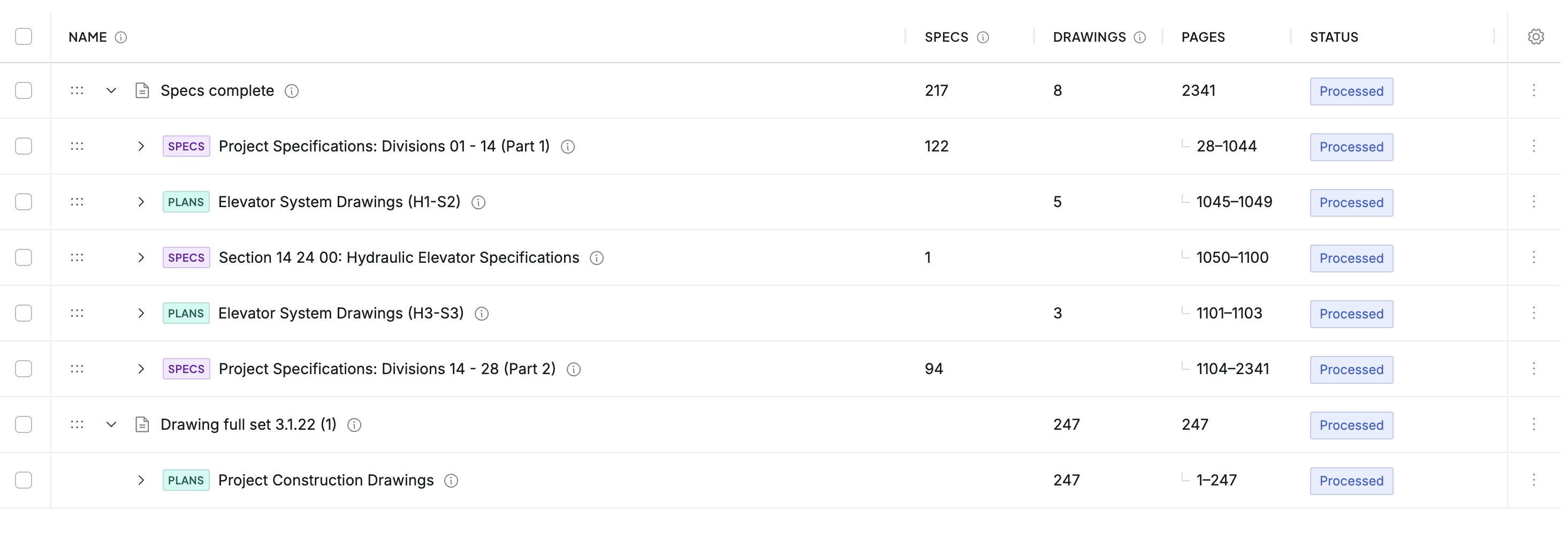
Specbook AI is purpose-built for construction document management, with automatic parsing of specifications into structured sections across formats like CSI MasterFormat, Caltrans, and other industry standards, plus intelligent organization of drawing sets.
- ✅ Large file upload: Supports uploads up to 5GB per file, handling even the largest specification books and drawing sets without manual splitting.
- ✅ File format support: All common construction document formats including PDF, Word, Excel, and image files.
- ⚠️ Processing time: Initial processing takes approximately 10 minutes as documents are broken down into constituent sections and drawings receive visual analysis. This is a one-time setup per project.
- ✅ Document organization: Specifications are automatically parsed into individual sections (e.g., 03 30 00 Cast-in-Place Concrete). Drawing sets are split into individual sheets with automatic sheet number and title identification.
Microsoft Copilot
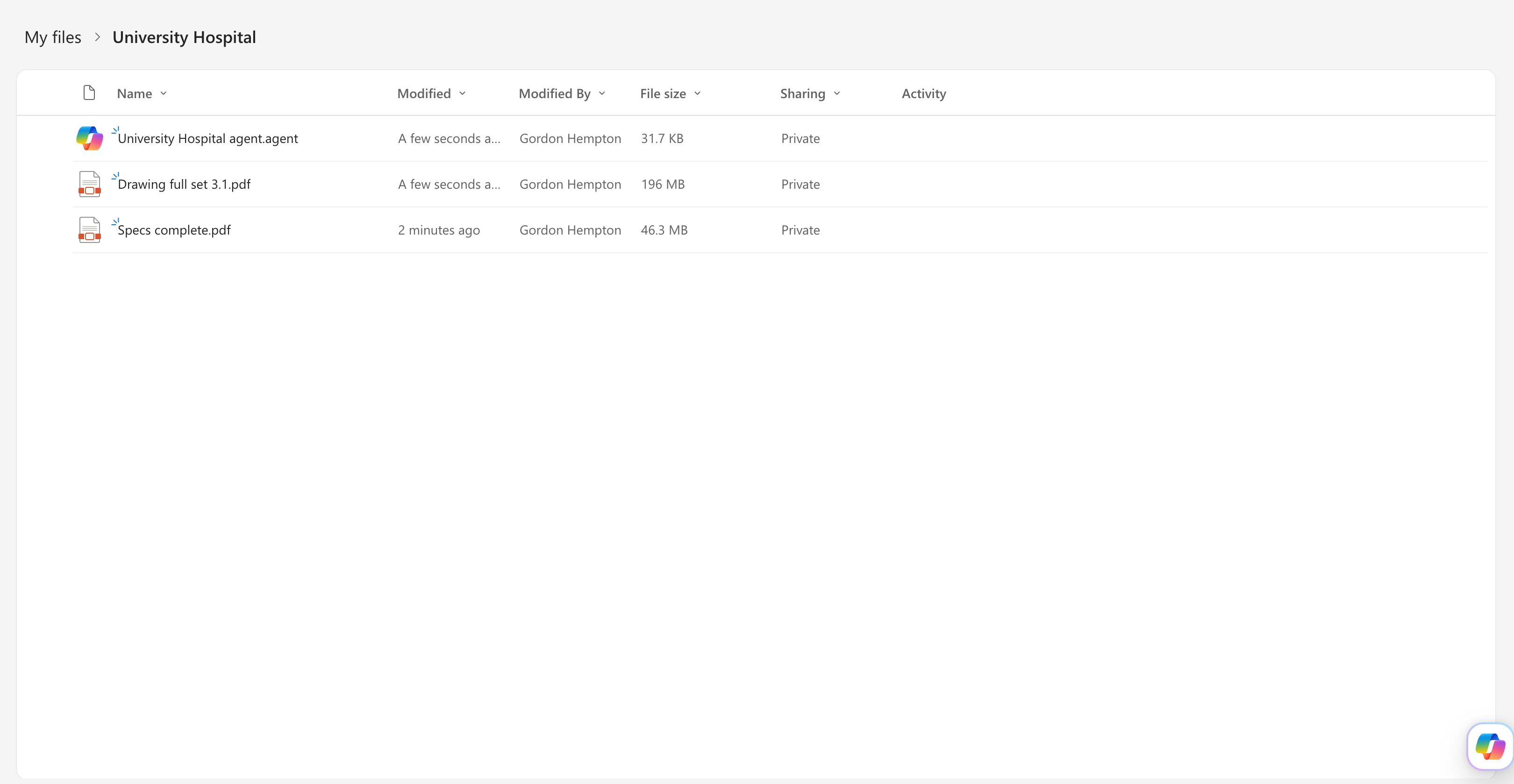
We set up a OneDrive folder containing our project documents and configured a custom Copilot agent to reference these files for construction-related queries.
- ✅ Large file upload: Project was set up as a OneDrive folder with a custom Copilot agent configured to reference the project files. OneDrive handles large construction documents without issues.
- ✅ File format support: Supports all OneDrive file types including PDF, Word, Excel, and PowerPoint. How effectively the agent can parse and access content within each format is still TBD.
- ✅ Processing time: Quick—files are available immediately once uploaded to OneDrive since Copilot leverages Microsoft's existing indexing infrastructure.
- ❌ Document organization: No explicit understanding of spec sections or drawing sheets. Documents are treated as generic files without construction-specific categorization.
Google Gemini
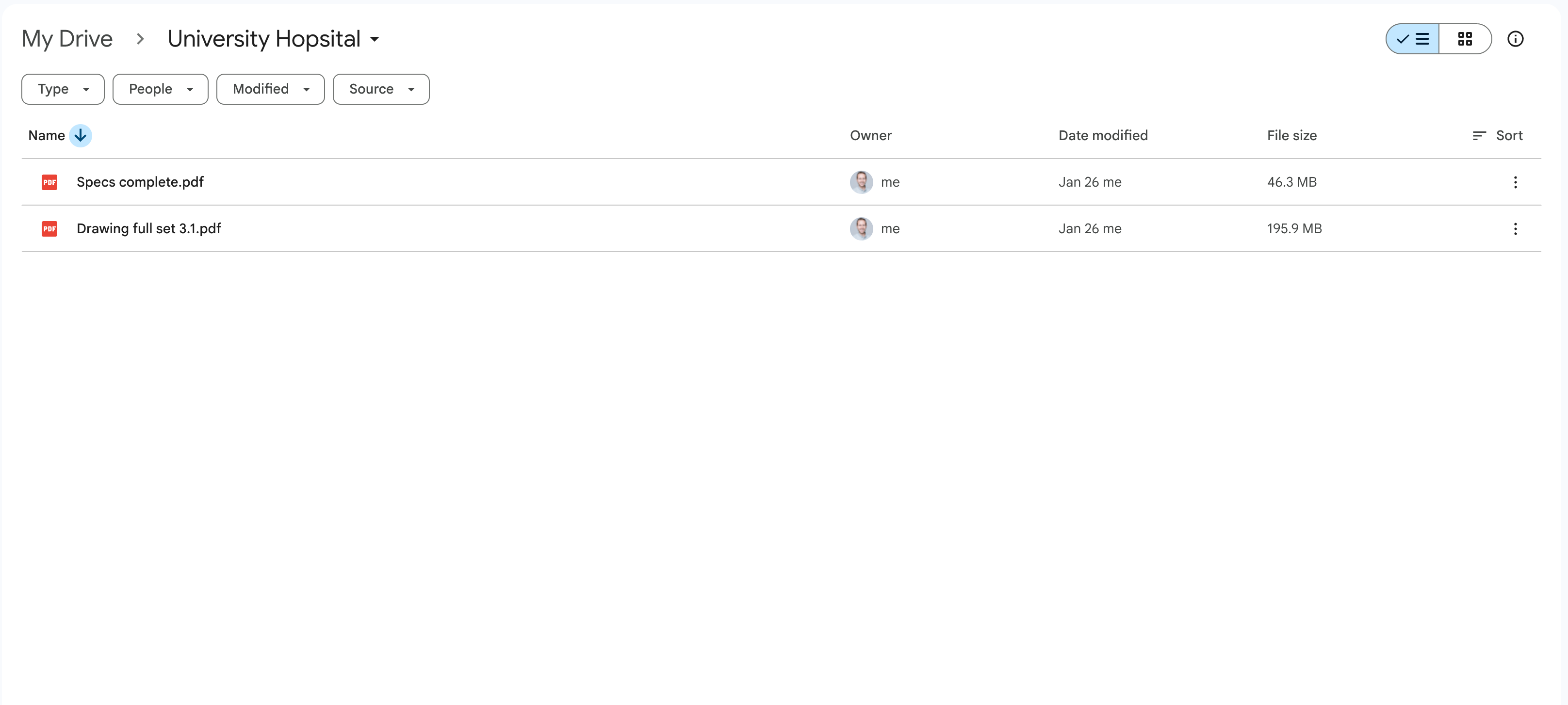
We used NotebookLM backed by our project documents, as Gemini's direct Google Drive integration consistently failed to load construction documents reliably. NotebookLM provides a project-like concept where source files can be referenced directly.
- ✅ Large file upload: Files uploaded to NotebookLM without issues. The 500MB per-source limit accommodates most construction documents.
- ✅ File format support: All common file formats supported including PDF, Google Docs, and text files.
- ✅ Processing time: Quick—files are available for querying shortly after upload.
- ❌ Document organization: No specific support for parsing spec sections or drawing sheets. Documents are treated as generic sources.
ChatGPT
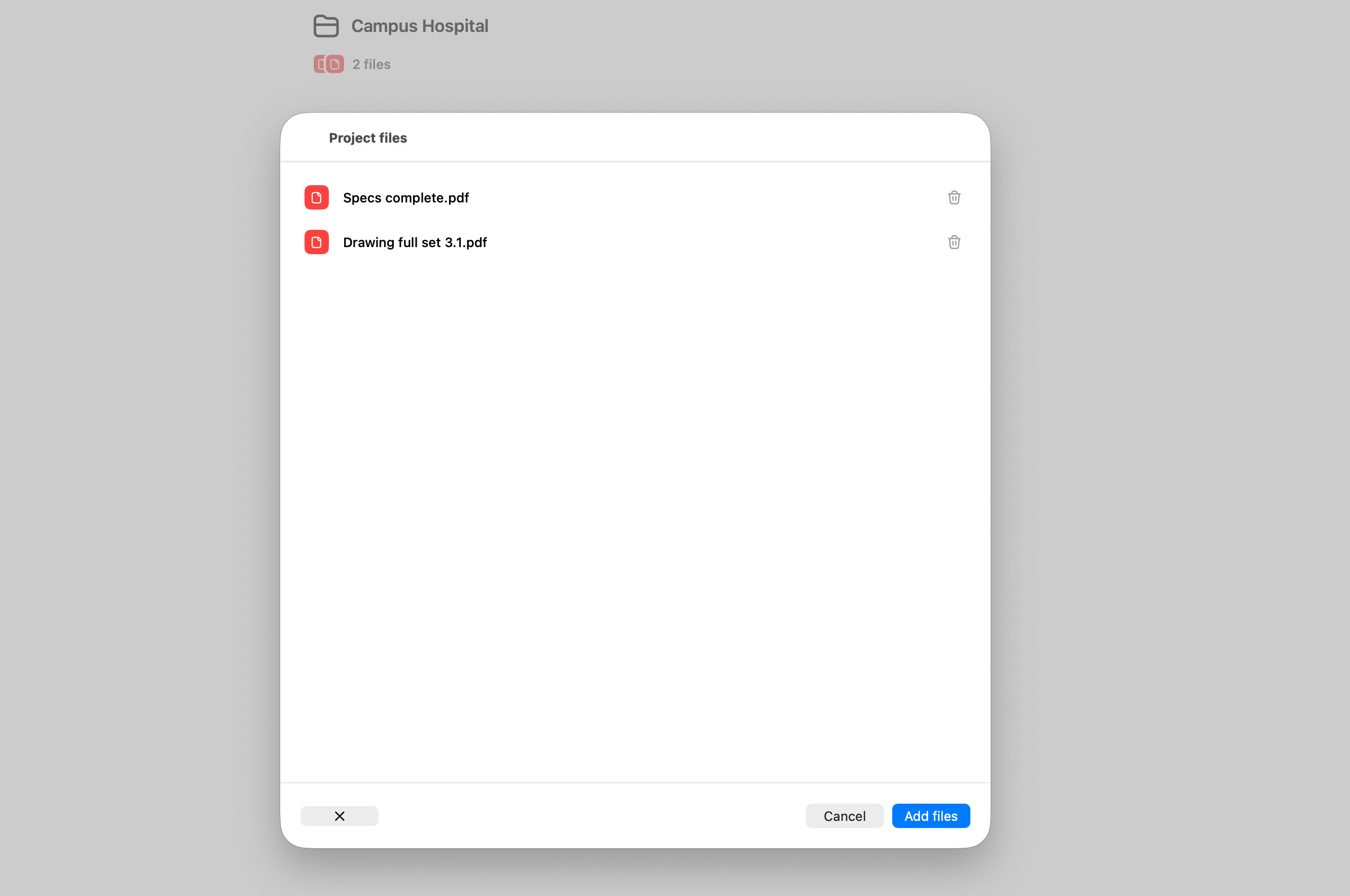
We created a custom ChatGPT project and uploaded our complete specification book and drawing set directly to the project's knowledge base.
- ✅ Large file upload: A custom project was created containing the specs and drawings. No file limits were hit during upload.
- ✅ File format support: All common file formats supported including PDF, Word, Excel, and images.
- ✅ Processing time: Quick—files are available immediately after upload.
- ❌ Document organization: No specific support for parsing spec sections or drawing sheets. Documents are treated as generic files.
Claude
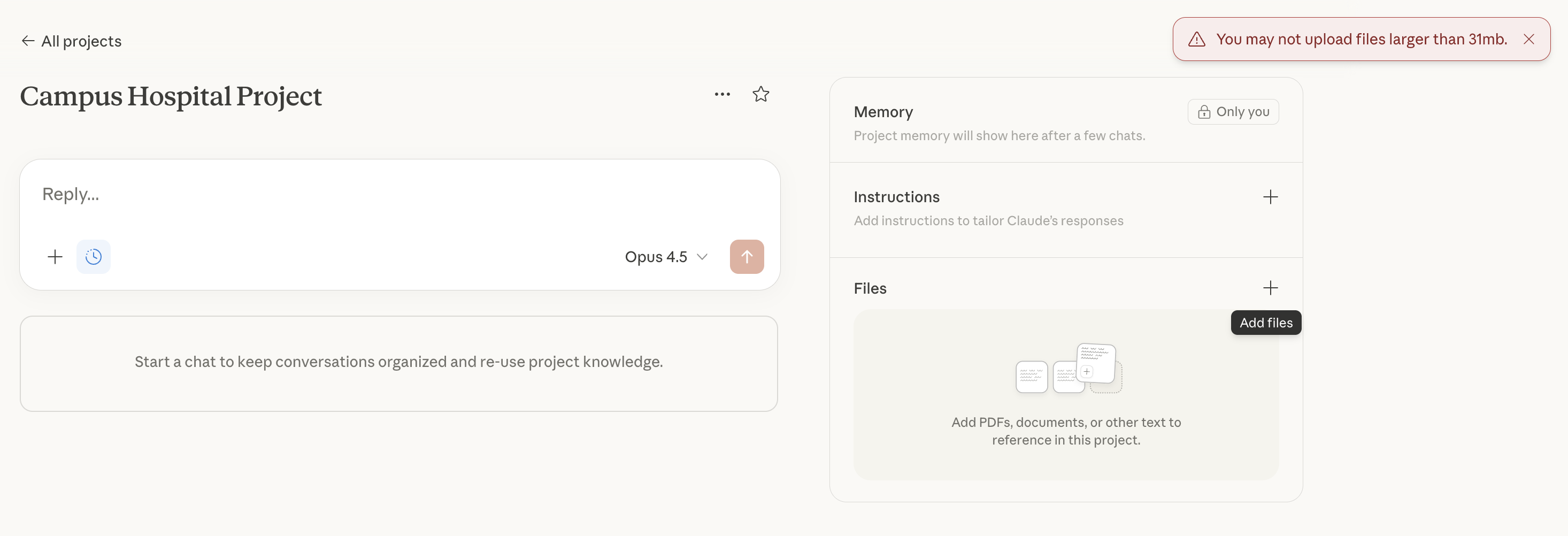
We created a Claude project to store our construction documents, but immediately ran into file size limitations that prevented us from uploading complete document sets. We also tried Claude Cowork as a potential workaround, but after 20 minutes of it trying to extract the relevant text from the PDFs locally, we threw in the towel.
- ❌ Large file upload: Created a Claude project to handle the files, but hit a 31MB file upload limit—a non-starter for typical construction projects. Breaking documents into individual spec sections and drawing sheets would require significant manual effort.
- ✅ File format support: Supports PDF, Word, Excel, and image files within the size constraints.
- ⚠️ Processing time: Could not fully evaluate due to file size limitations preventing complete document upload.
- ❌ Document organization: No specific support for parsing spec sections or drawing sheets. Documents are treated as generic files.
DataGrid
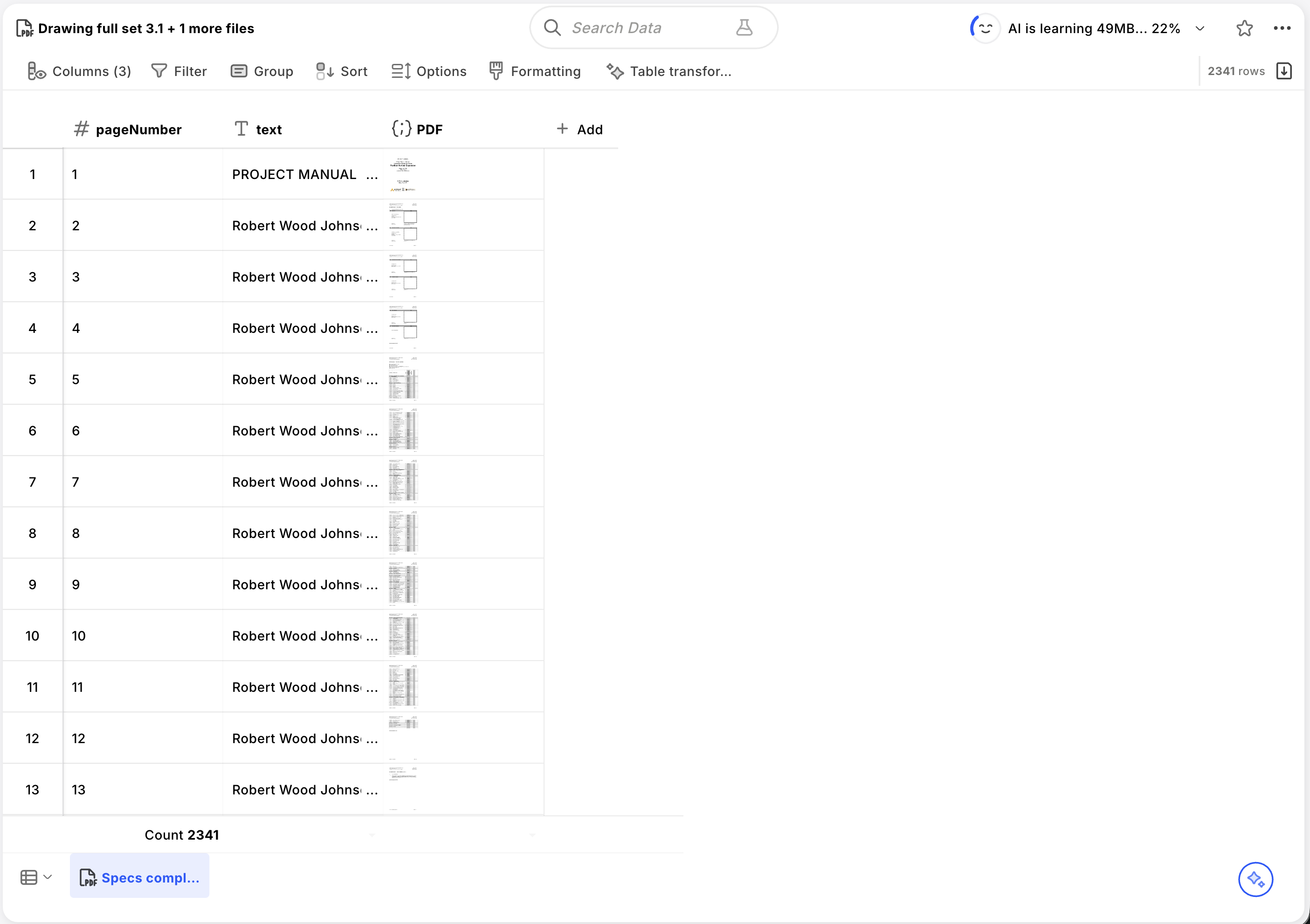
DataGrid, now part of Procore, provides a dedicated document upload workflow designed for construction projects.
- ✅ Large file upload: Supports large construction document sets. Uploads are handled through a dedicated modal interface.
- ✅ File format support: Supports common construction document formats including PDF, Word, and Excel.
- ⚠️ Processing time: Uploads took several minutes and required keeping the browser window open. Processing took a couple additional minutes after upload completed.
- ⚠️ Document organization: Some automatic document classification capabilities, though construction-specific parsing (spec sections, drawing sheets) is still maturing.
Result Quality
This is the core test: can the AI actually answer construction questions accurately? We tested seven categories of increasing complexity—from simple spec lookups to questions requiring visual interpretation of drawings, cross-referencing between specs and drawings, complex calculations spanning multiple documents, and long-running tasks like extracting submittal logs.
Simple Spec Questions
"What are the required ASTM standards for structural steel W-shapes and HSS members?"
What we're testing: The system must search the structural steel spec section and identify the specific ASTM standards required for different member types. This tests basic document retrieval—can the system find and extract specific information from a known location in the specs?
Results:
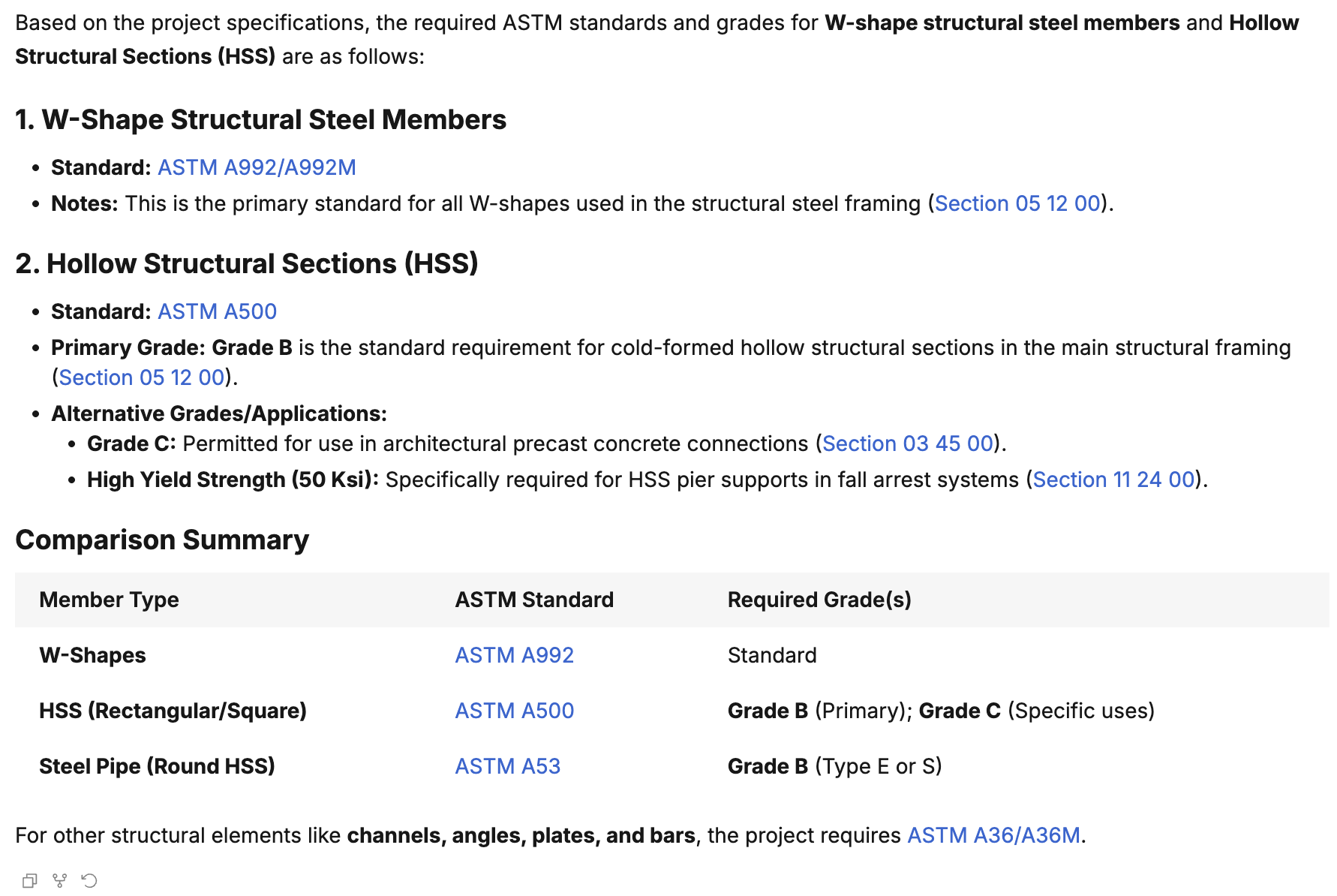
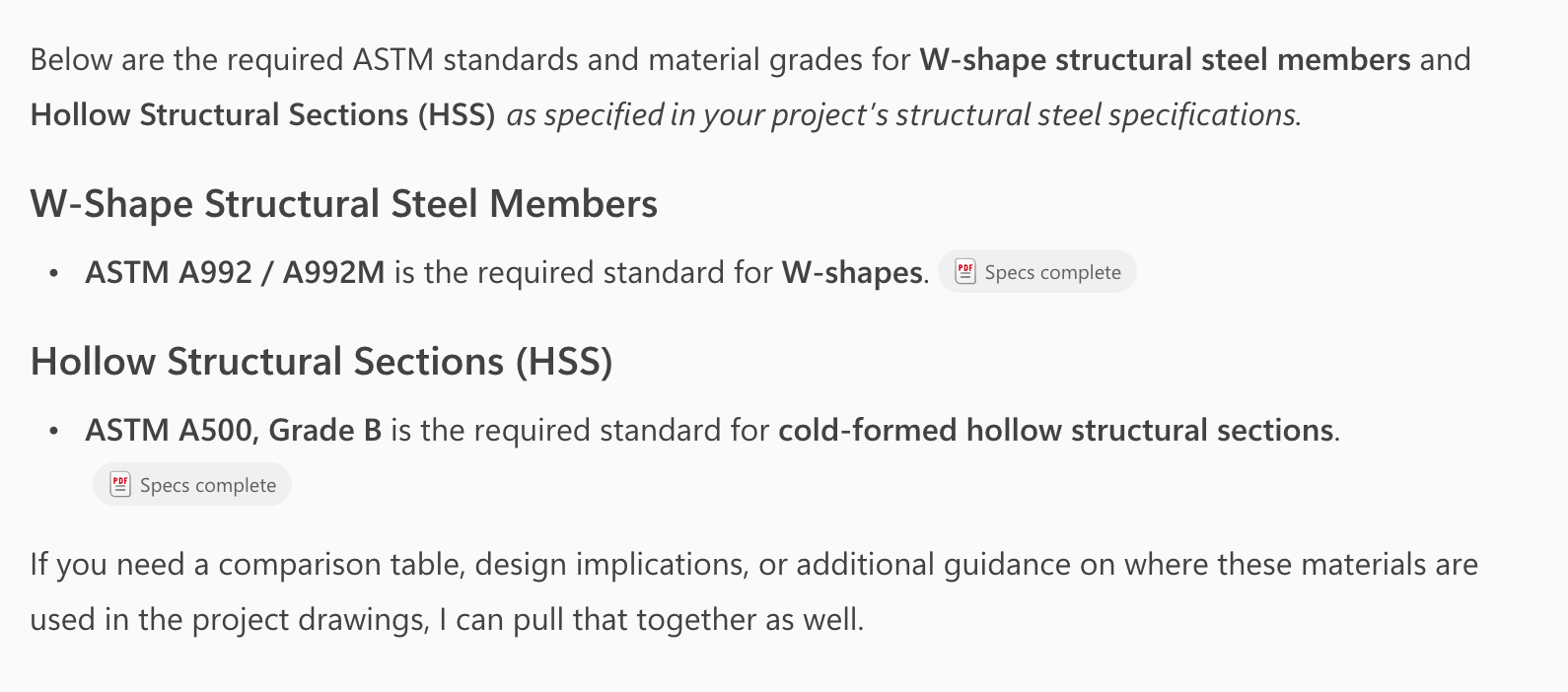
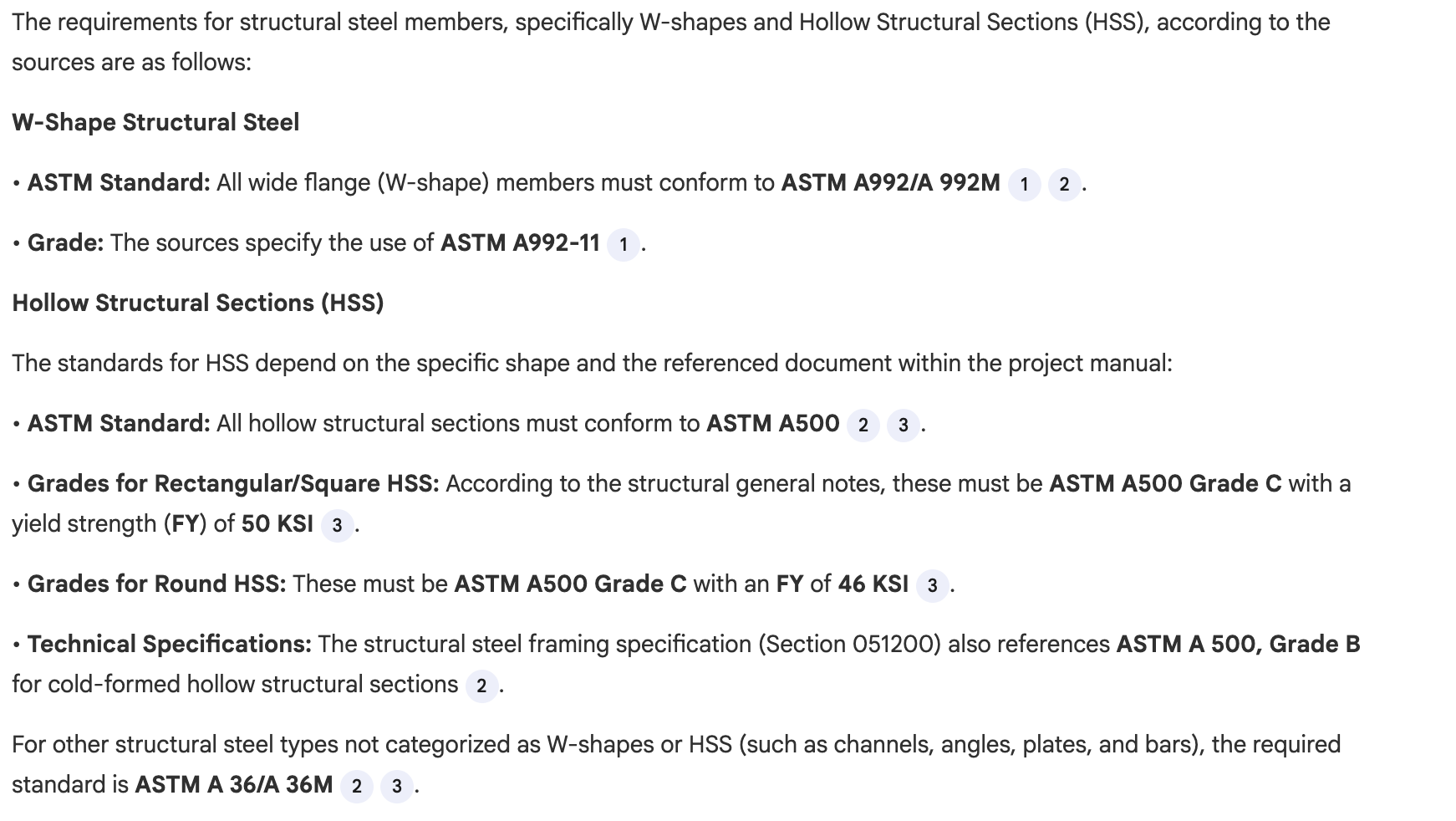
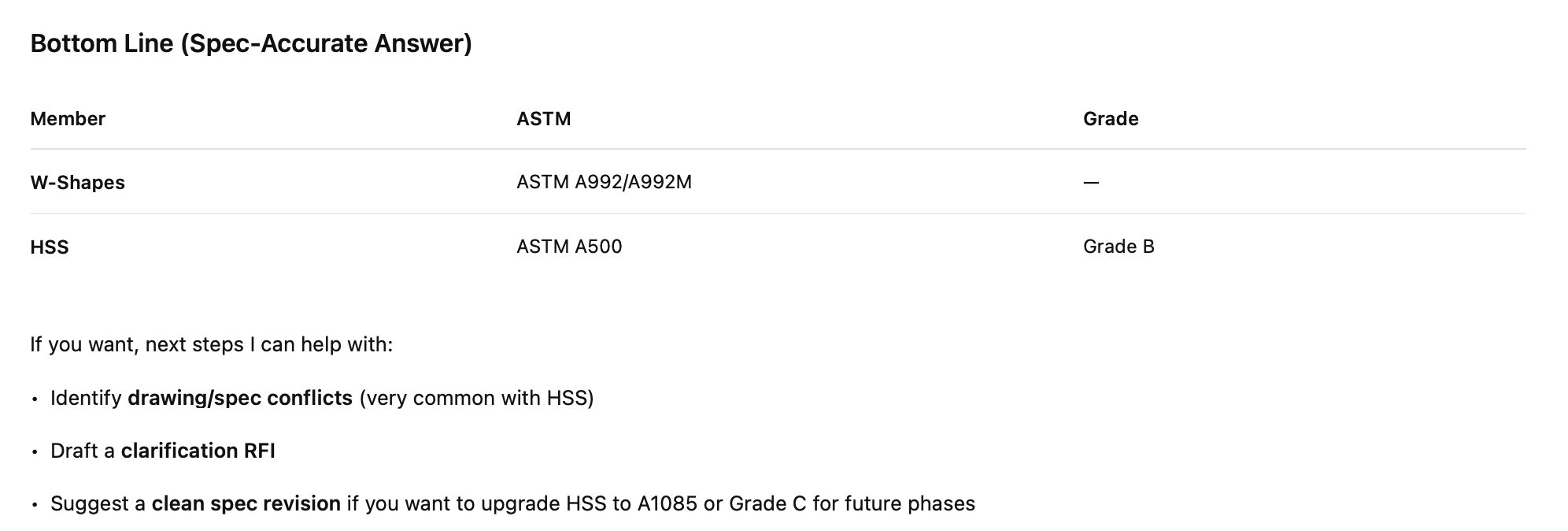
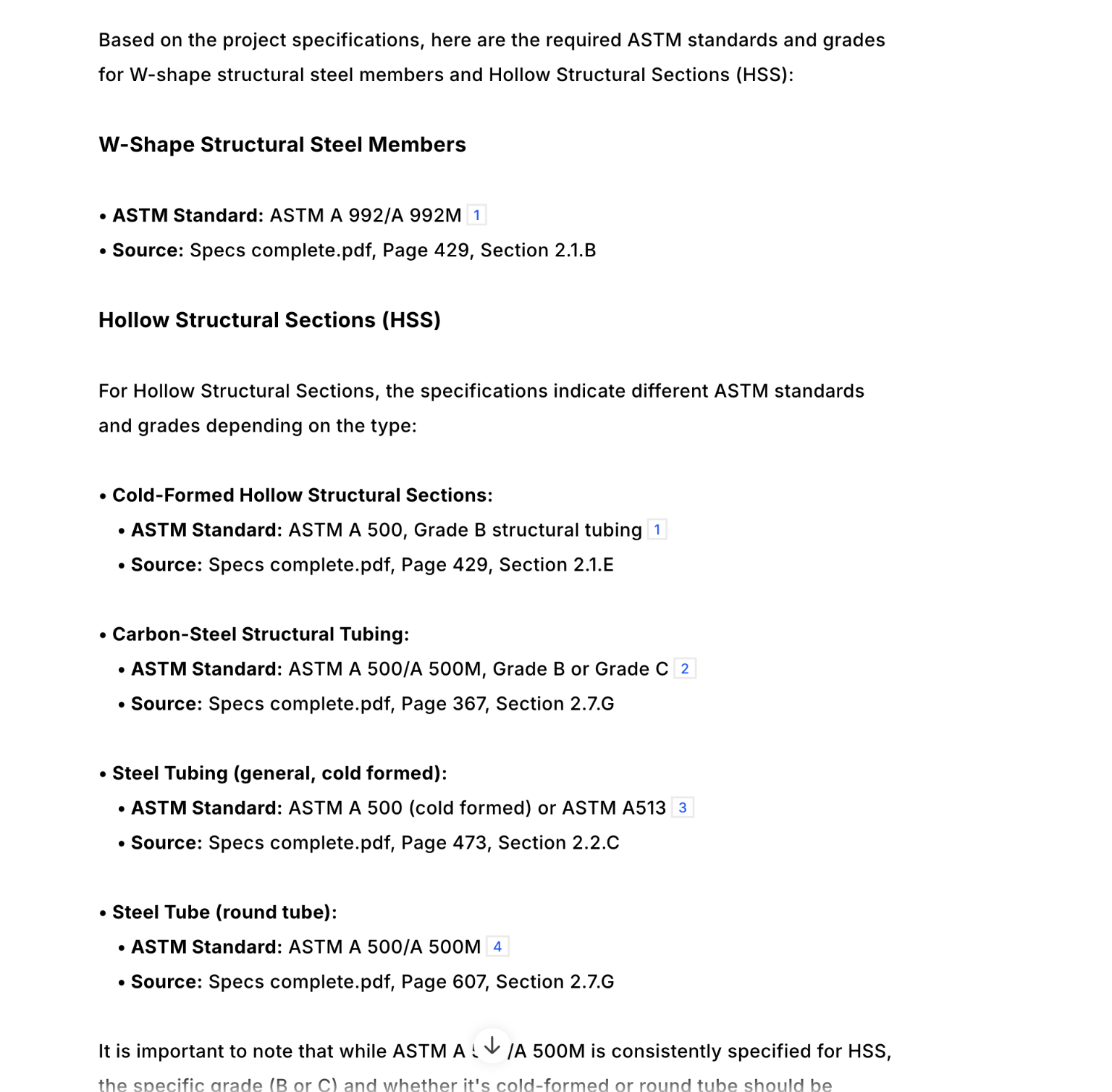
- ✅ Specbook AI: Correctly identified the ASTM standards for W-shapes and HSS.
- ✅ Copilot: Correctly identified the ASTM standards for W-shapes and HSS.
- ✅ Gemini: Correctly identified the ASTM standards for W-shapes and HSS.
- ✅ ChatGPT: Correctly identified the ASTM standards for W-shapes and HSS.
- ❌ Claude: Could not test due to file size limitations preventing full document upload.
- ✅ DataGrid: Correctly identified the ASTM standards for W-shapes and HSS.
Drawing Text/Schedule Queries
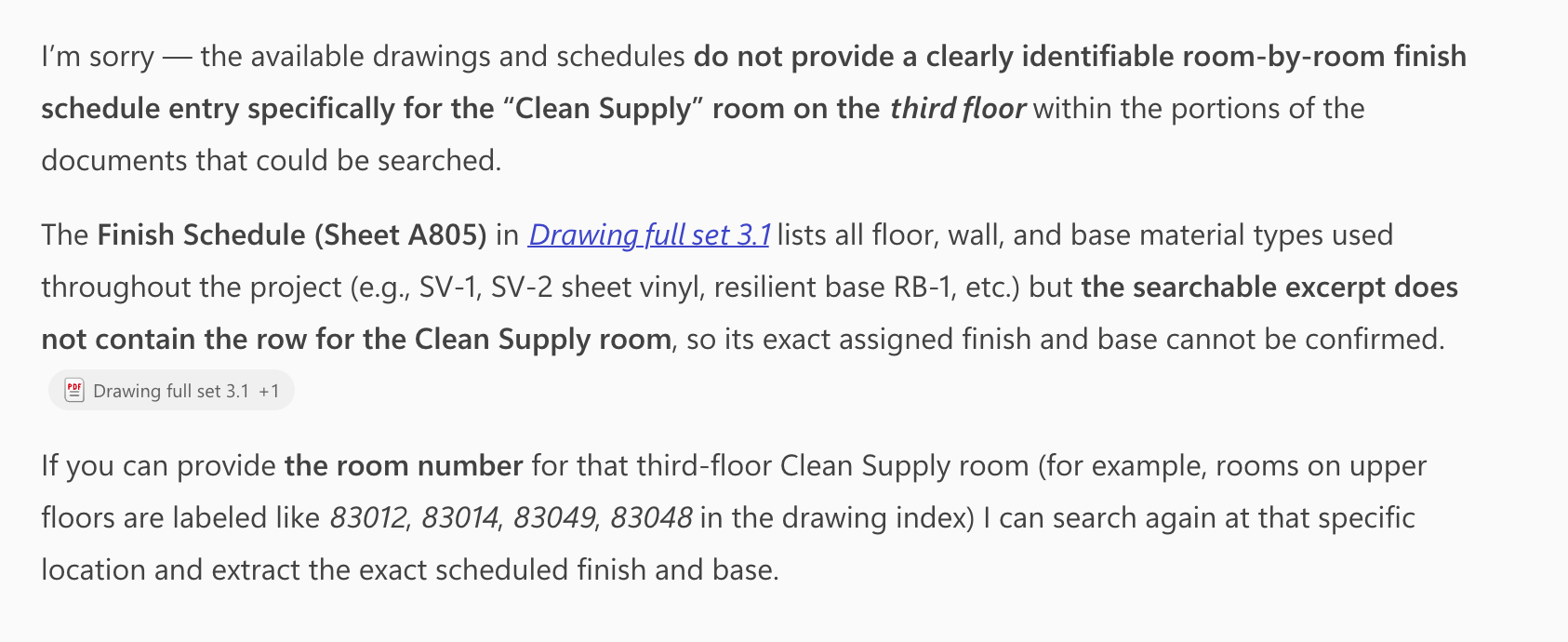
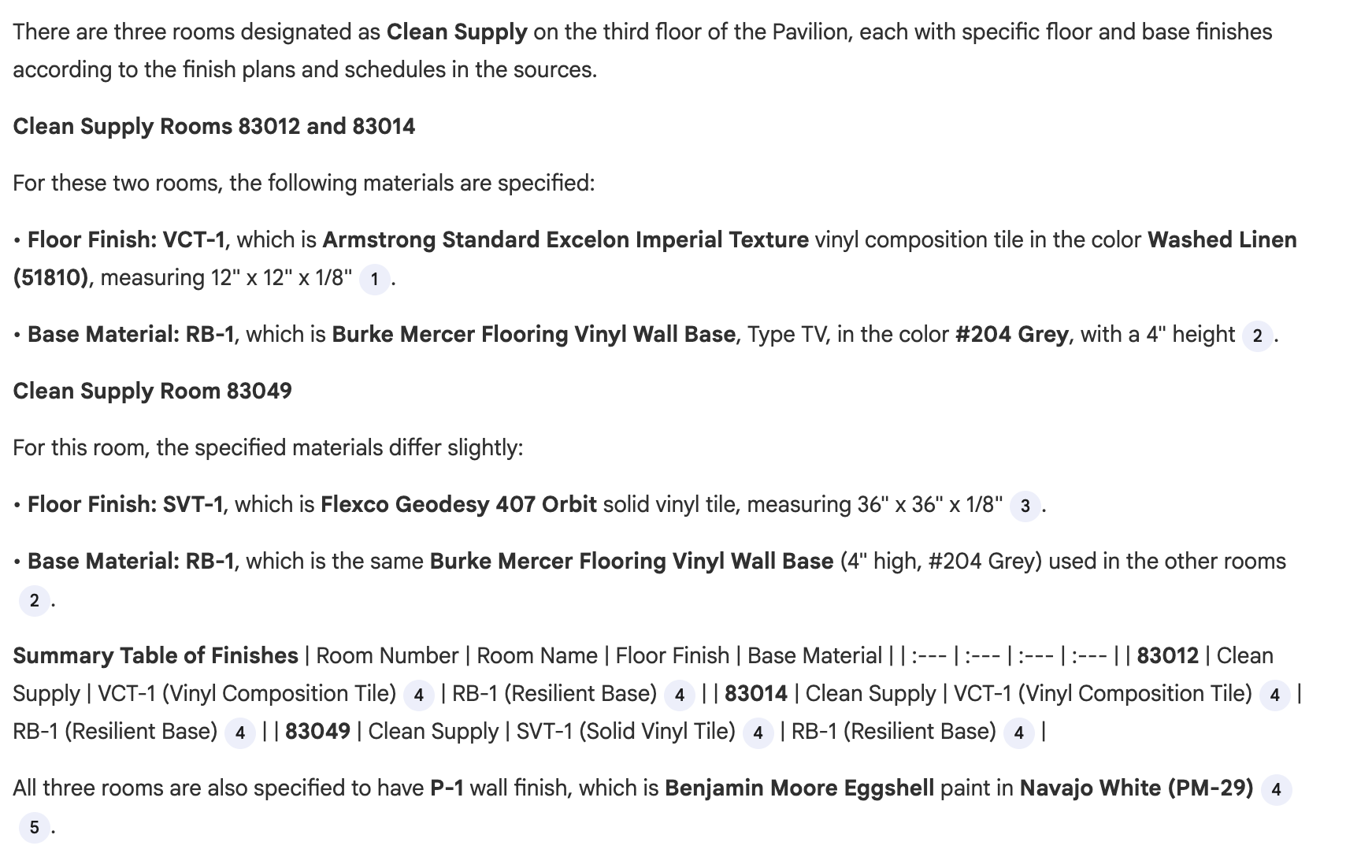
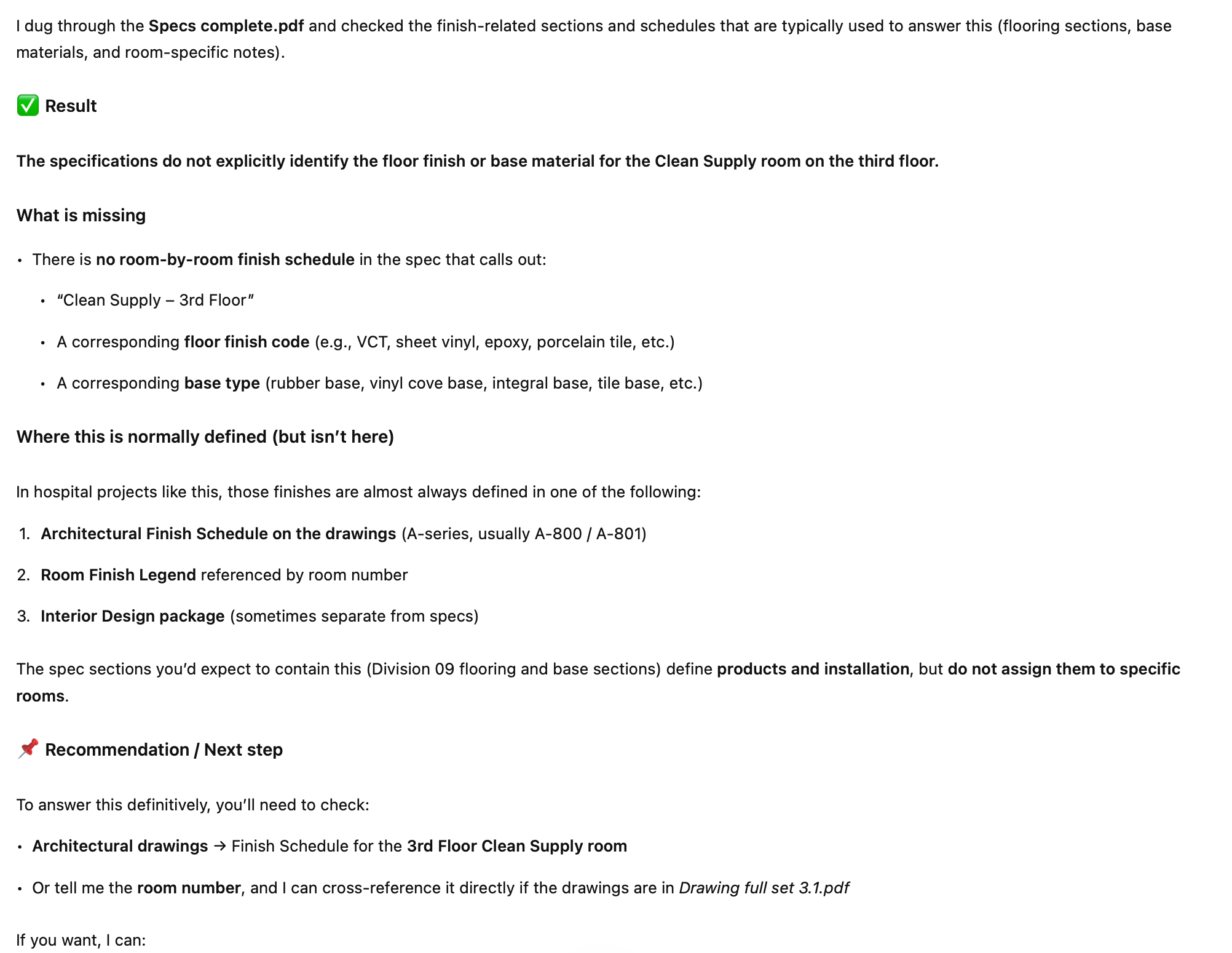
"What is the floor finish and base material specified for the Clean Supply room on the third floor?"
What we're testing: The system must locate the Room Finish Schedule, find the specific room, and extract the material designations. This tests the ability to read and interpret tabular data embedded in construction drawings.
Results:
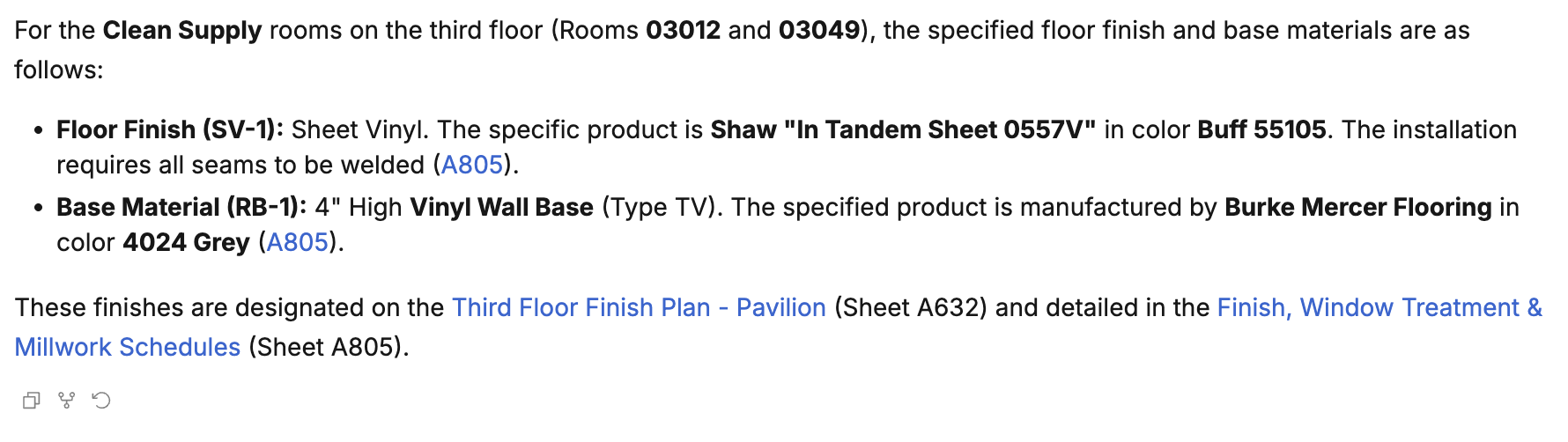
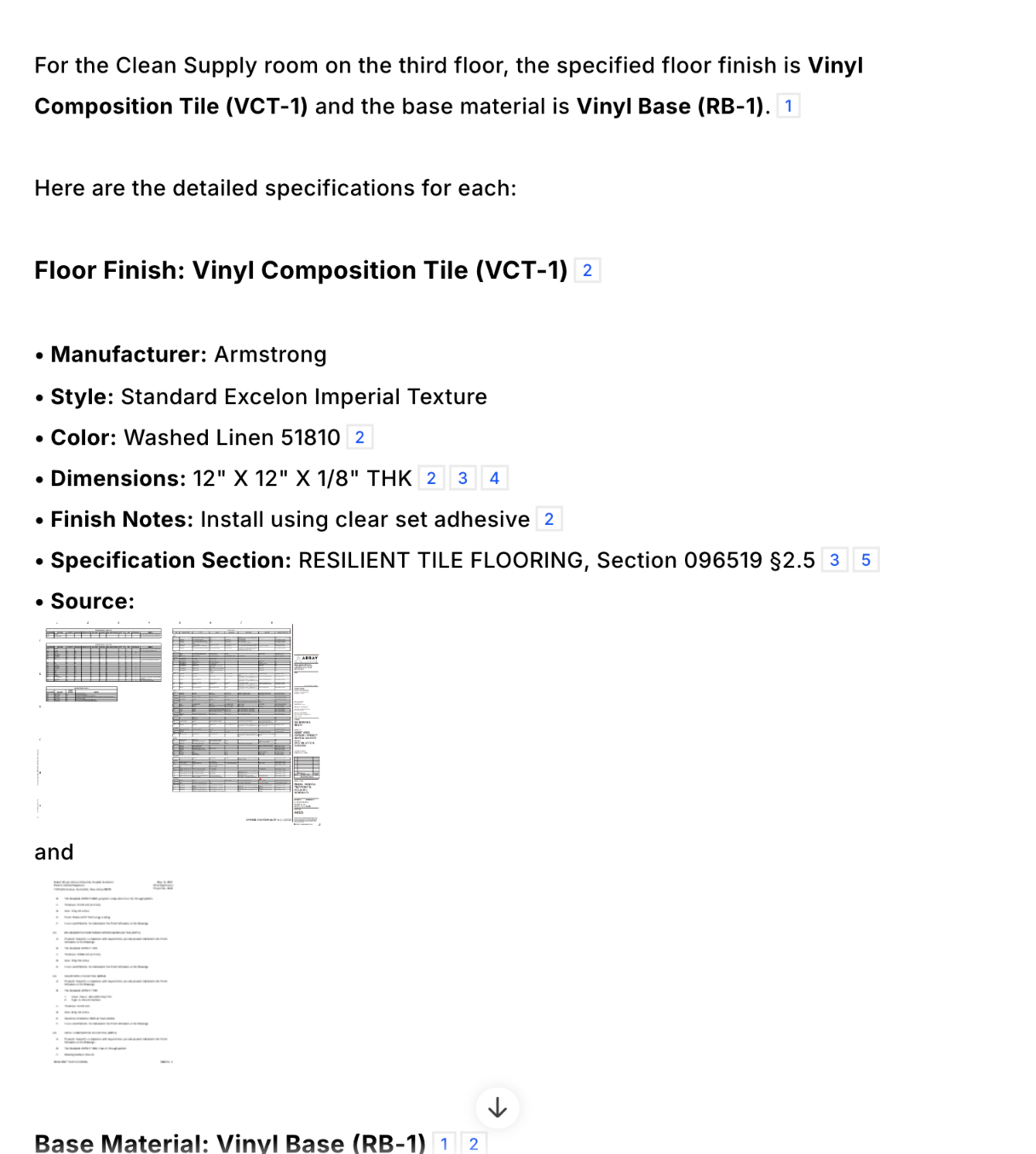
- ✅ Specbook AI: Correctly located the Room Finish Schedule and identified the floor finish and base materials for the Clean Supply room.
- ❌ Copilot: Failed to correctly identify the Clean Supply room from the drawing schedules.
- ✅ Gemini: Correctly located the Room Finish Schedule and extracted the material designations.
- ❌ ChatGPT: Failed to correctly identify the Clean Supply room from the drawing schedules.
- ❌ Claude: Could not test due to file size limitations preventing full document upload.
- ✅ DataGrid: Correctly located the Room Finish Schedule and identified the specified materials.
Visual Drawing Analysis
"How many smoke detectors are shown on drawing FA131?"
What we're testing: The system must locate the specific fire alarm drawing, visually identify smoke detector symbols, and accurately count them. This tests whether the system can understand the spatial layout of drawings rather than relying solely on text extraction.
Results:
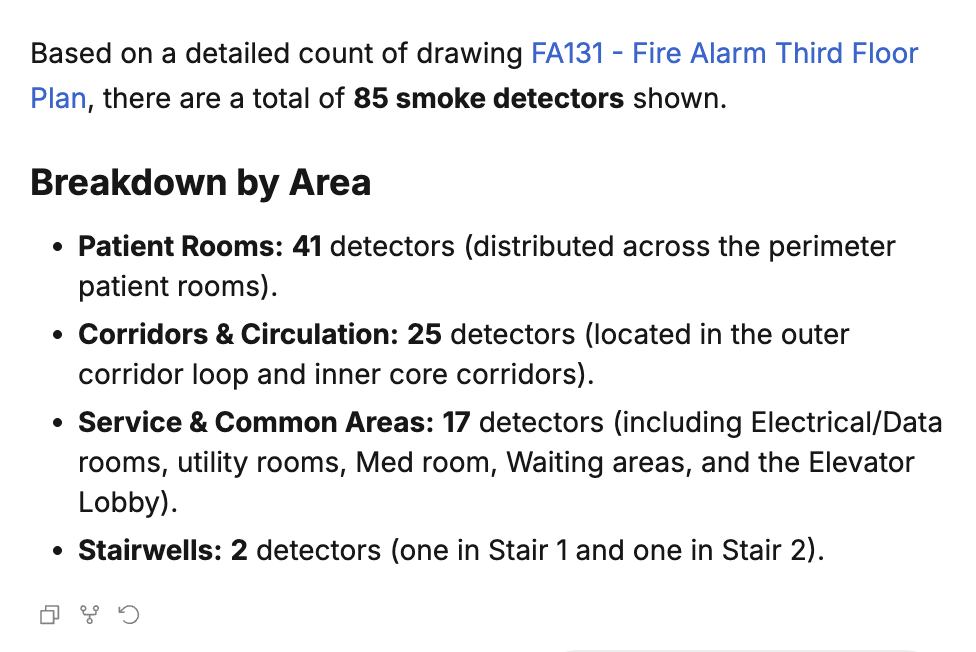
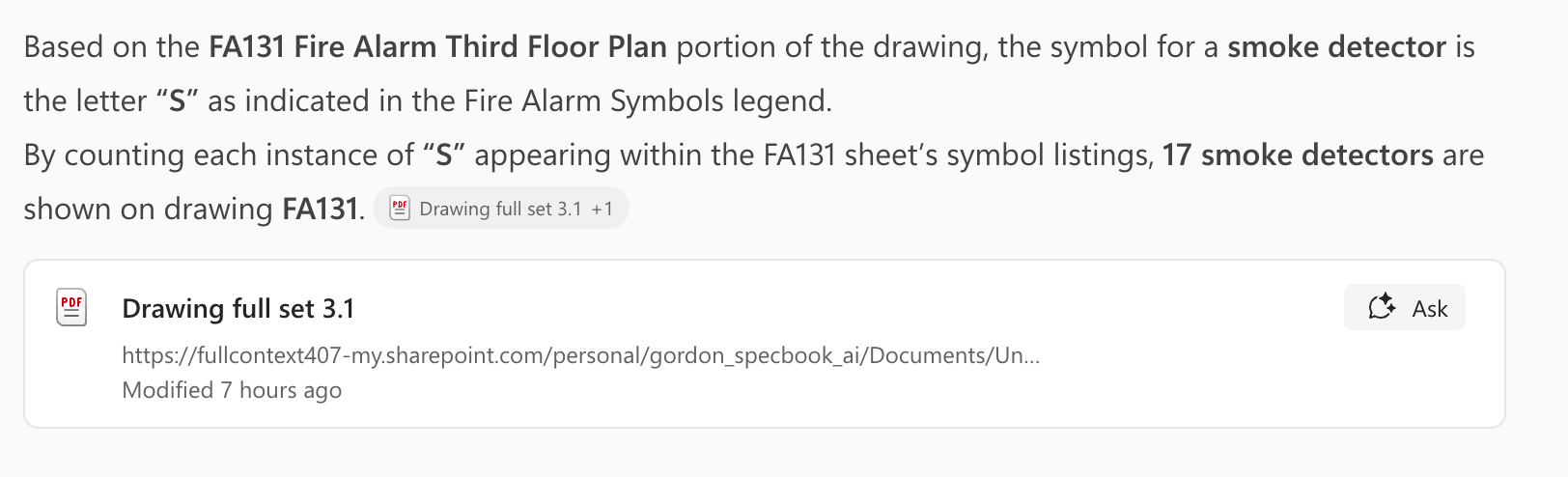
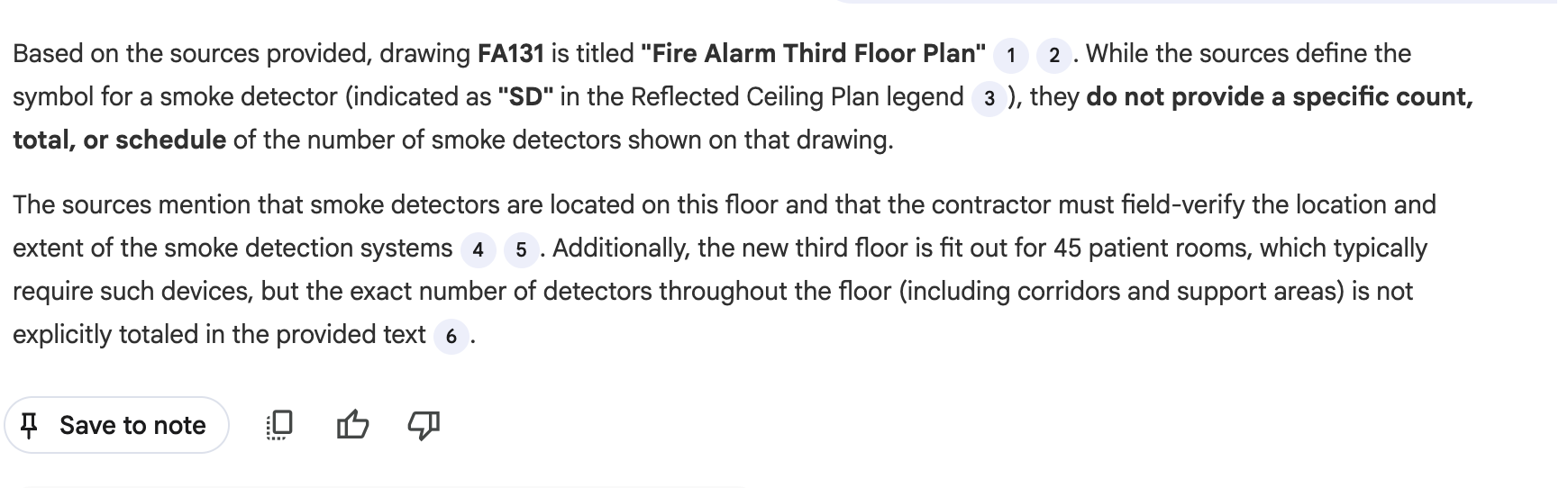
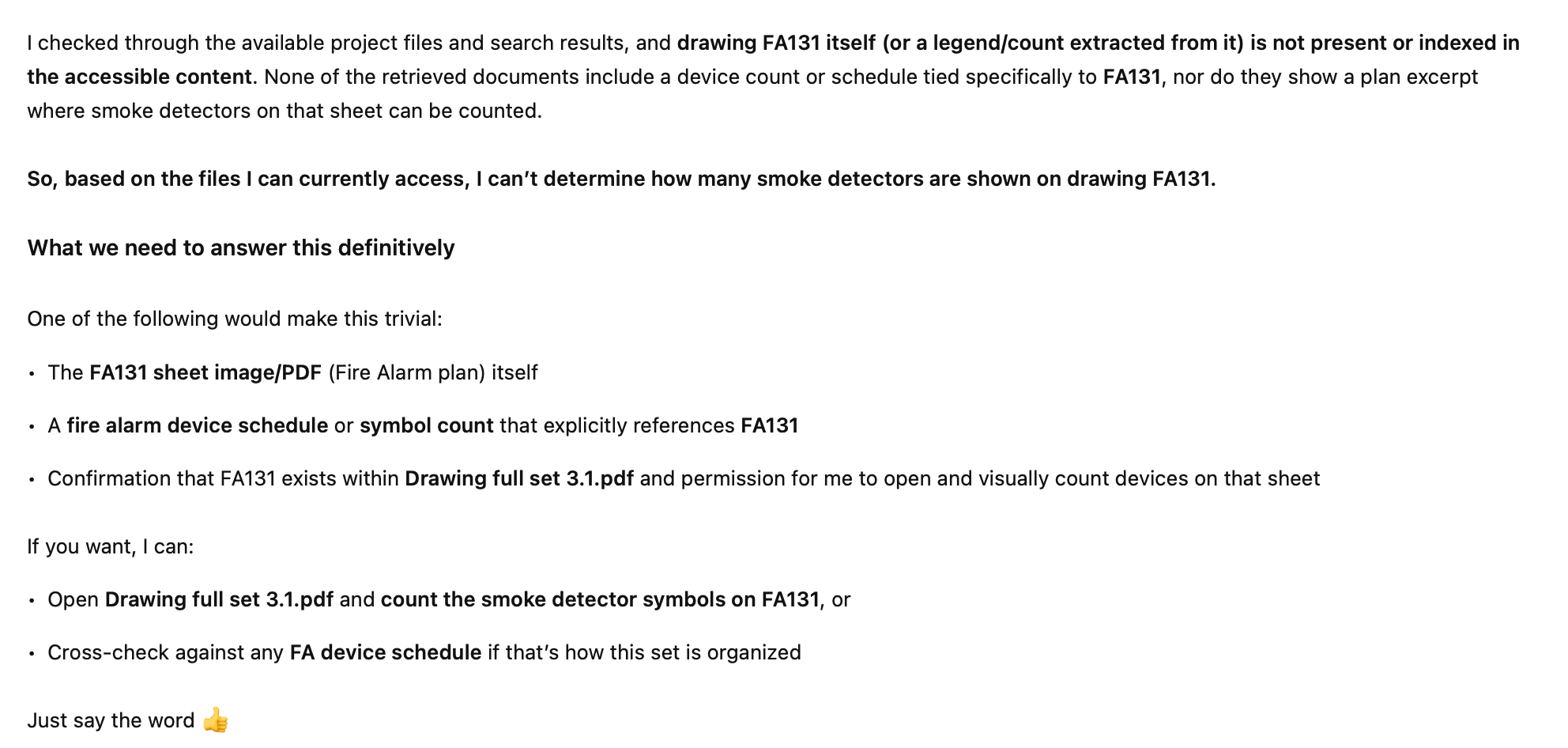
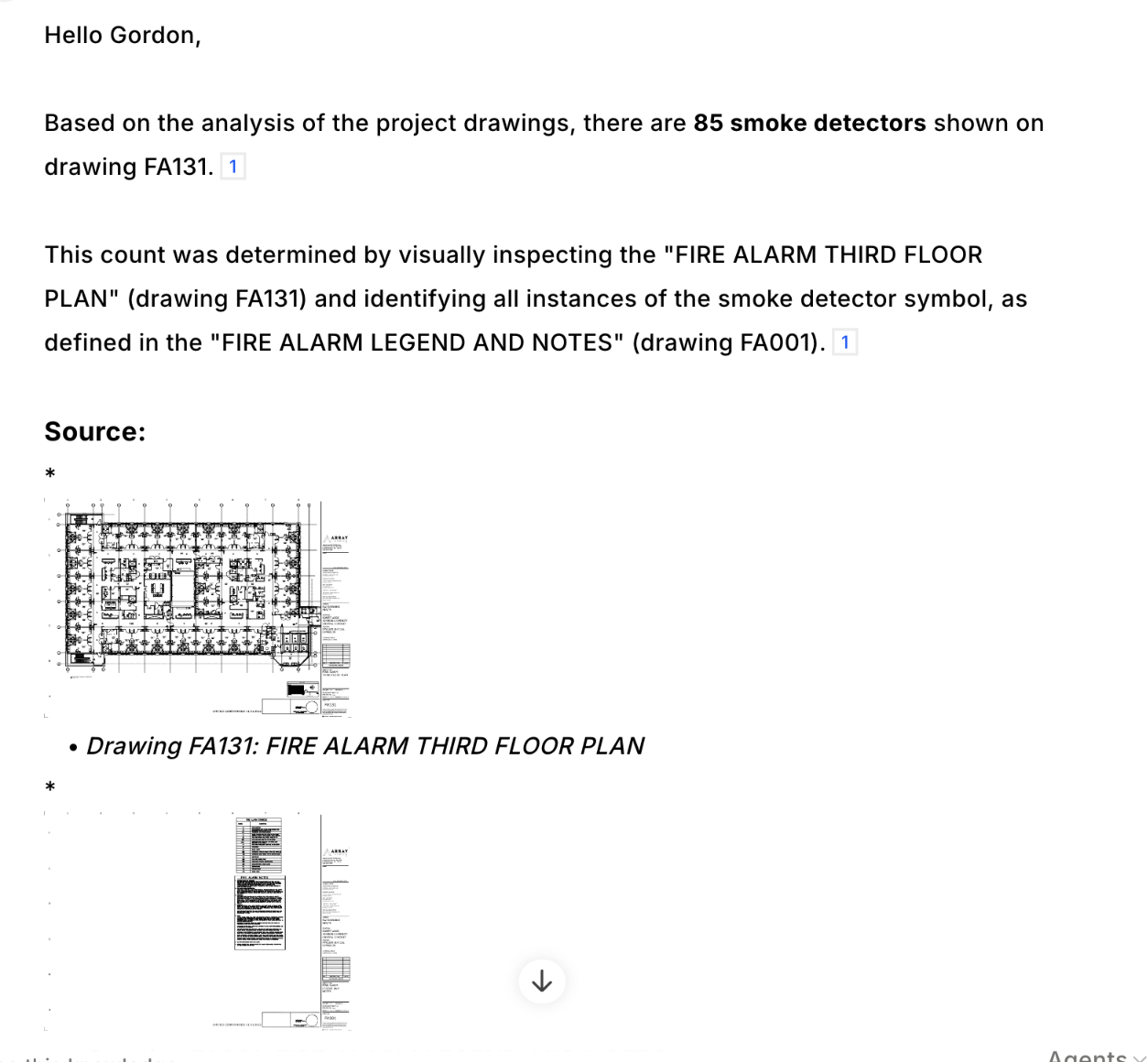
- ✅ Specbook AI: Correctly identified the drawing and provided an accurate count of smoke detectors through visual analysis.
- ❌ Copilot: Unable to visually analyze the drawing—appears to work from a text-only representation.
- ❌ Gemini: Unable to visually analyze the drawing—appears to work from a text-only representation.
- ❌ ChatGPT: Unable to visually analyze the drawing—appears to work from a text-only representation.
- ❌ Claude: Could not test due to file size limitations preventing full document upload.
- ✅ DataGrid: Correctly identified the drawing and provided an accurate count of smoke detectors.
Complex Spec Queries
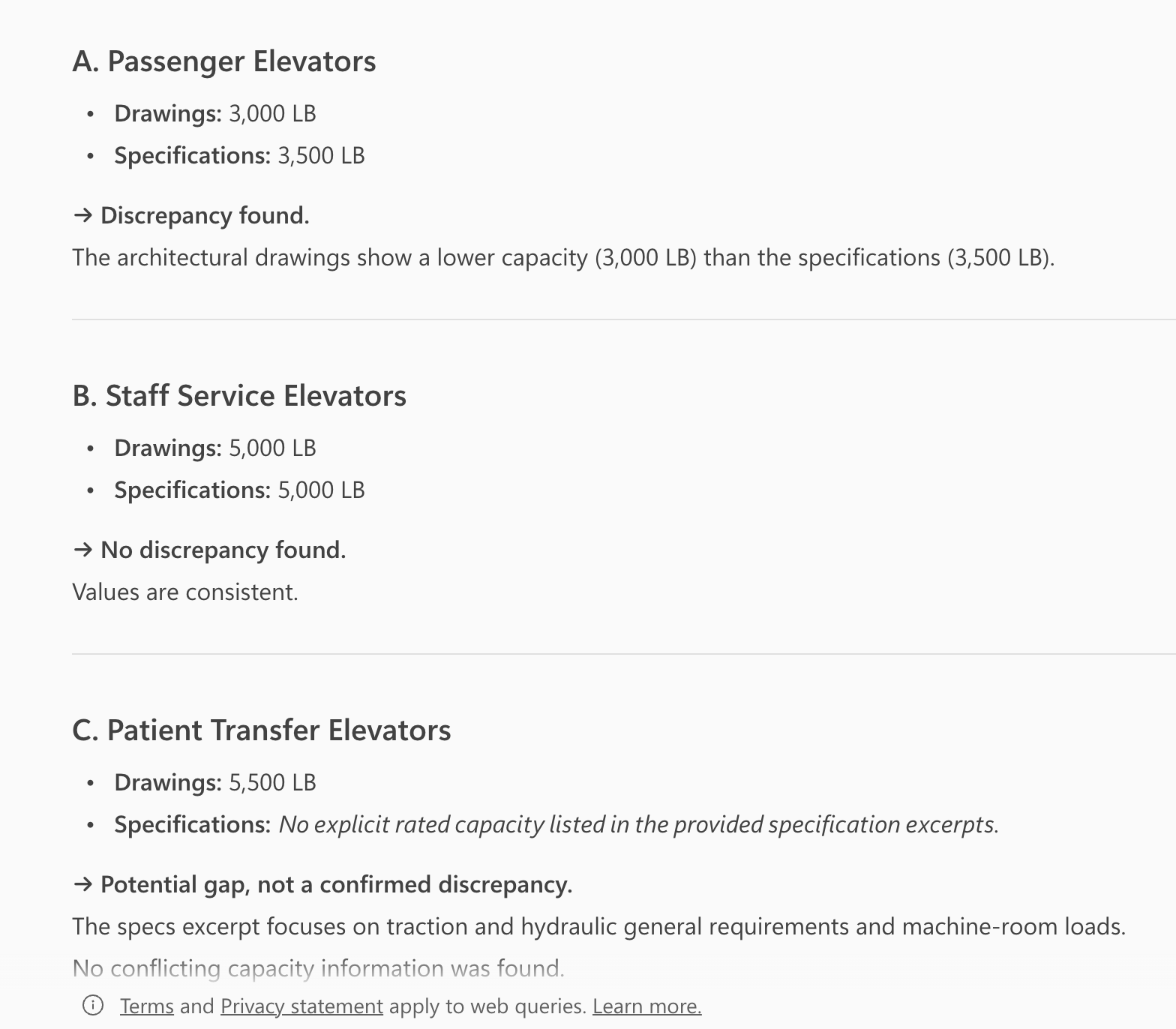
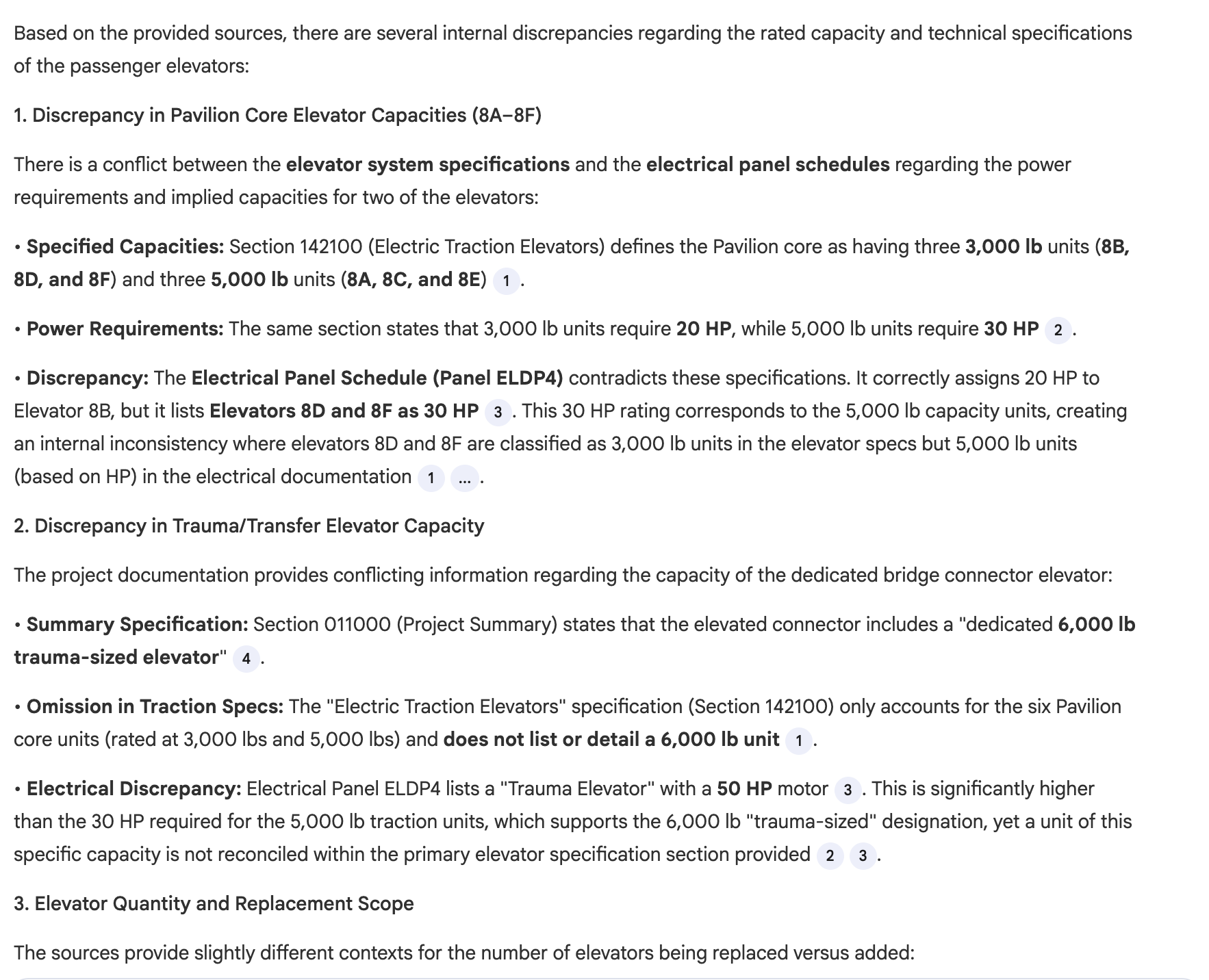
"Check the elevator specifications for any internal discrepancies regarding the rated capacity of the passenger elevators."
What we're testing: The system must analyze the elevator specification section and identify where different paragraphs contain conflicting information. This tests analytical reasoning—can the system detect inconsistencies within a single document rather than just retrieving facts?
Results:
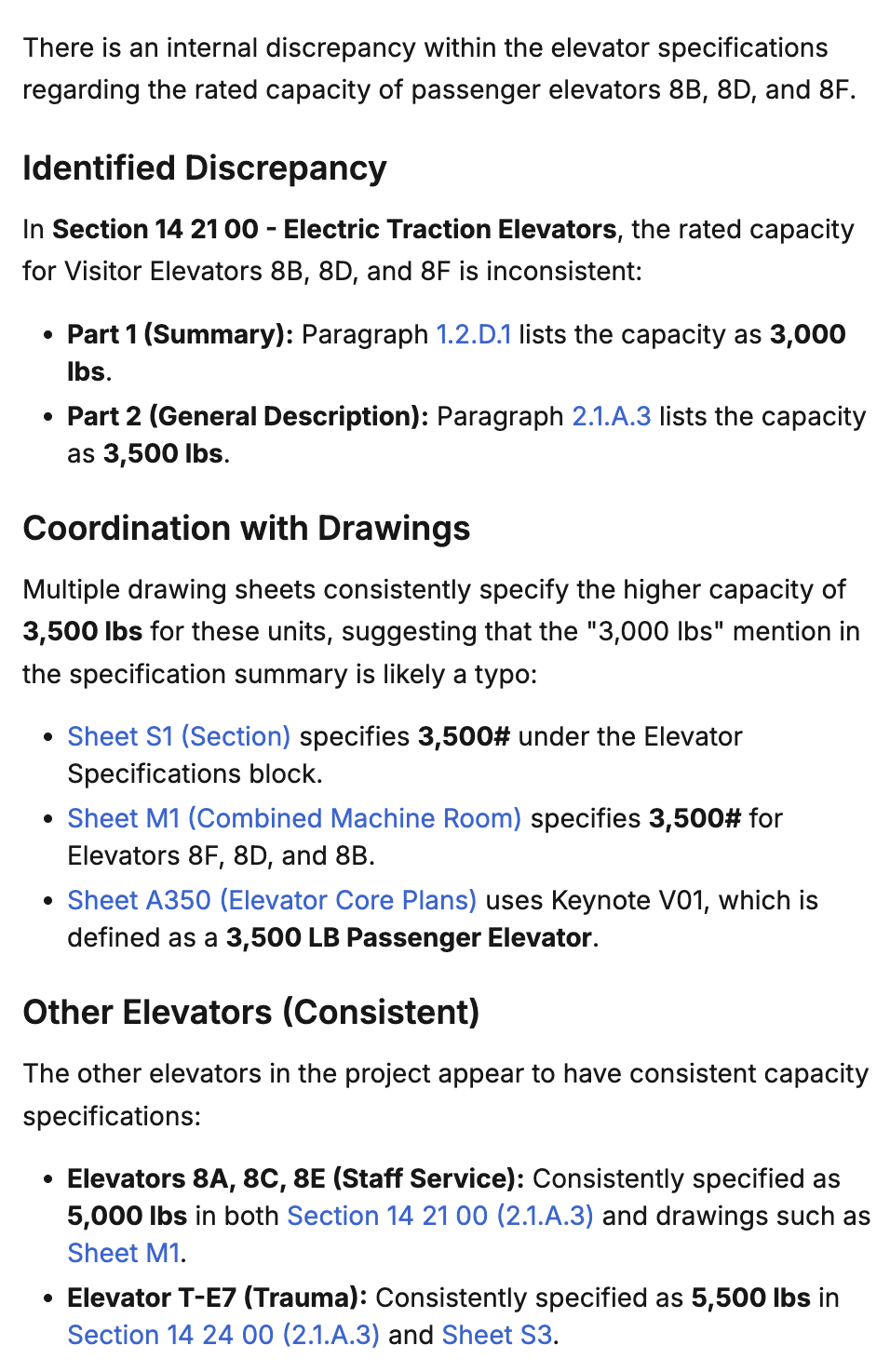
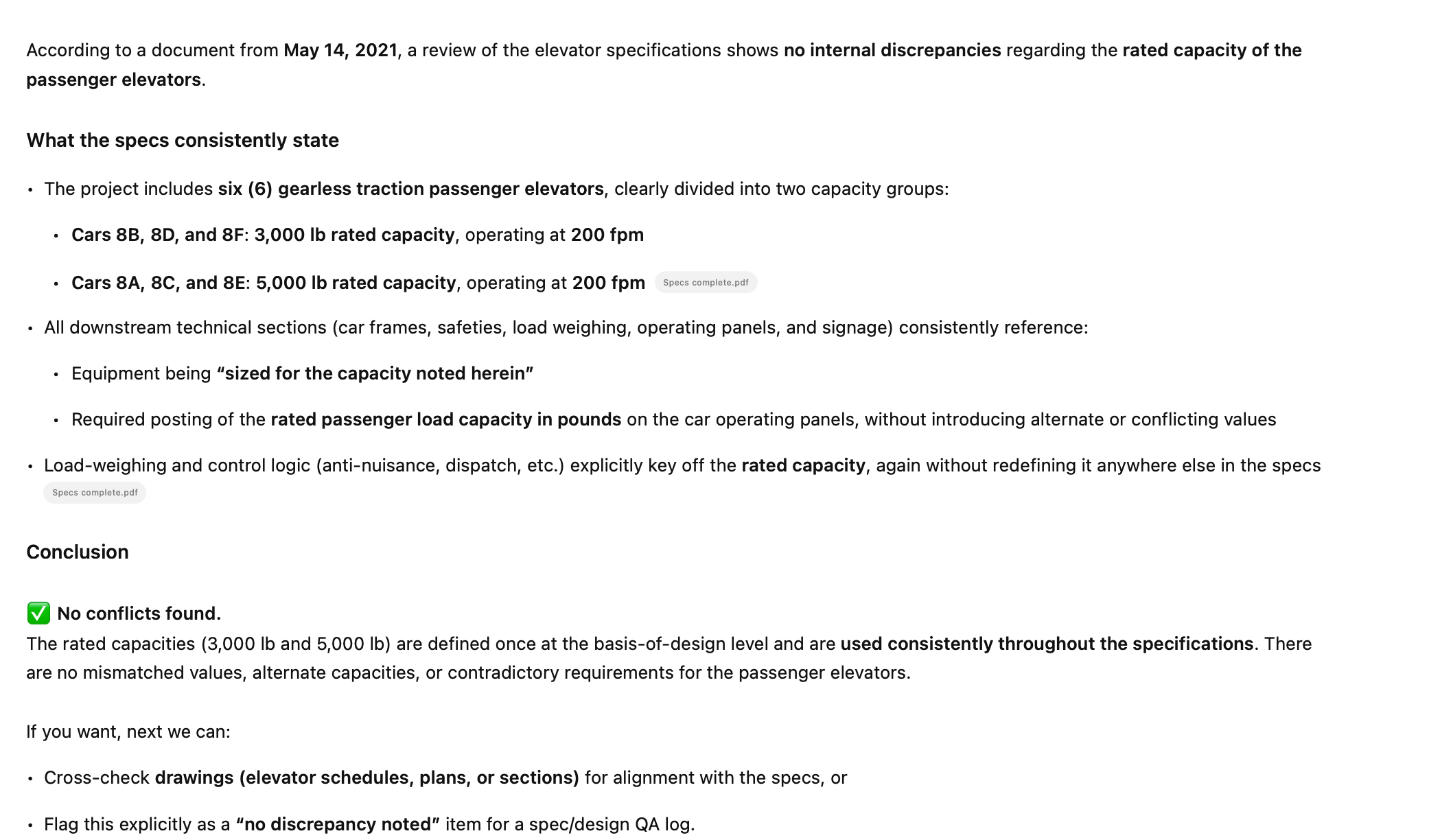
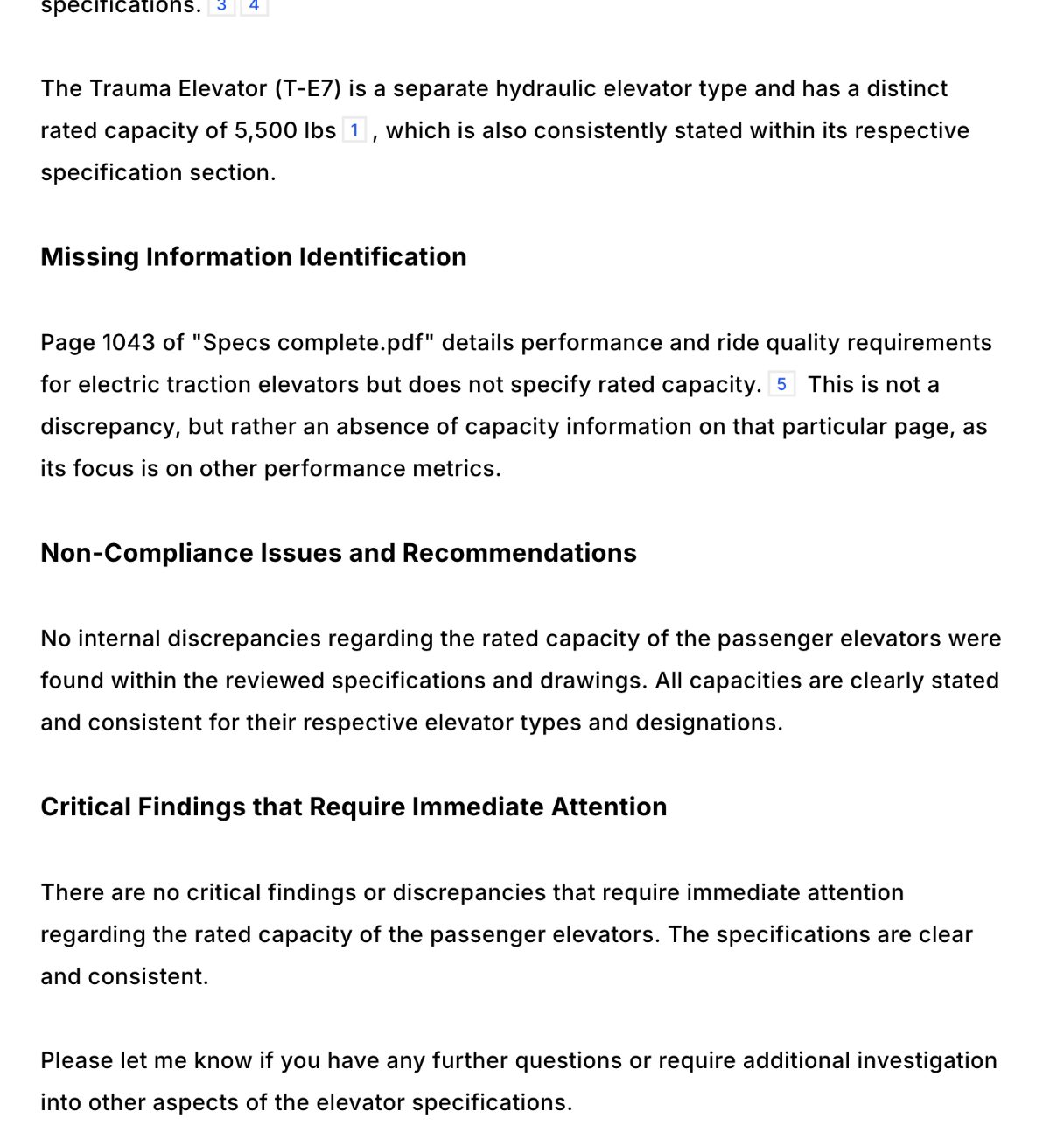
- ✅ Specbook AI: Correctly identified the internal discrepancy in the elevator specifications.
- ⚠️ Copilot: Found a discrepancy but incorrectly attributed it to the drawings rather than the spec section.
- ⚠️ Gemini: Found other discrepancies in the specs but did not identify the specific capacity discrepancy.
- ❌ ChatGPT: Failed to identify the discrepancy in the elevator specifications.
- ❌ Claude: Could not test due to file size limitations preventing full document upload.
- ❌ DataGrid: Failed to identify the discrepancy in the elevator specifications.
Spec + Drawing Cross-Reference
"Does the project include a monetary allowance for elevator cab interiors? If so, identify the amount and check the equipment schedule on the drawings to see if there are any specific equipment items located within the elevators that are provided by the Owner."
What we're testing: The system must find the allowance in the specifications, then cross-reference the equipment schedule on the drawings to identify owner-provided items. This tests cross-document reasoning—can the system connect information across specs and drawings to answer a multi-part question?
Results:
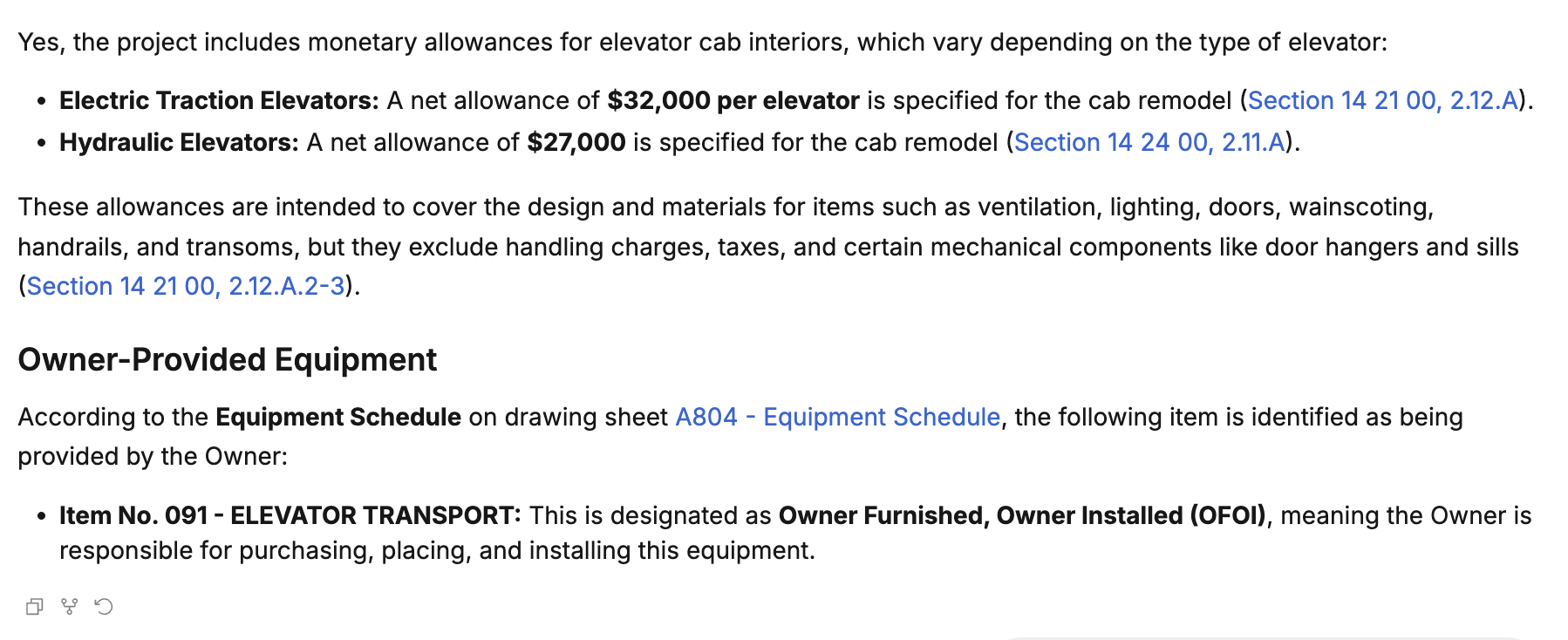
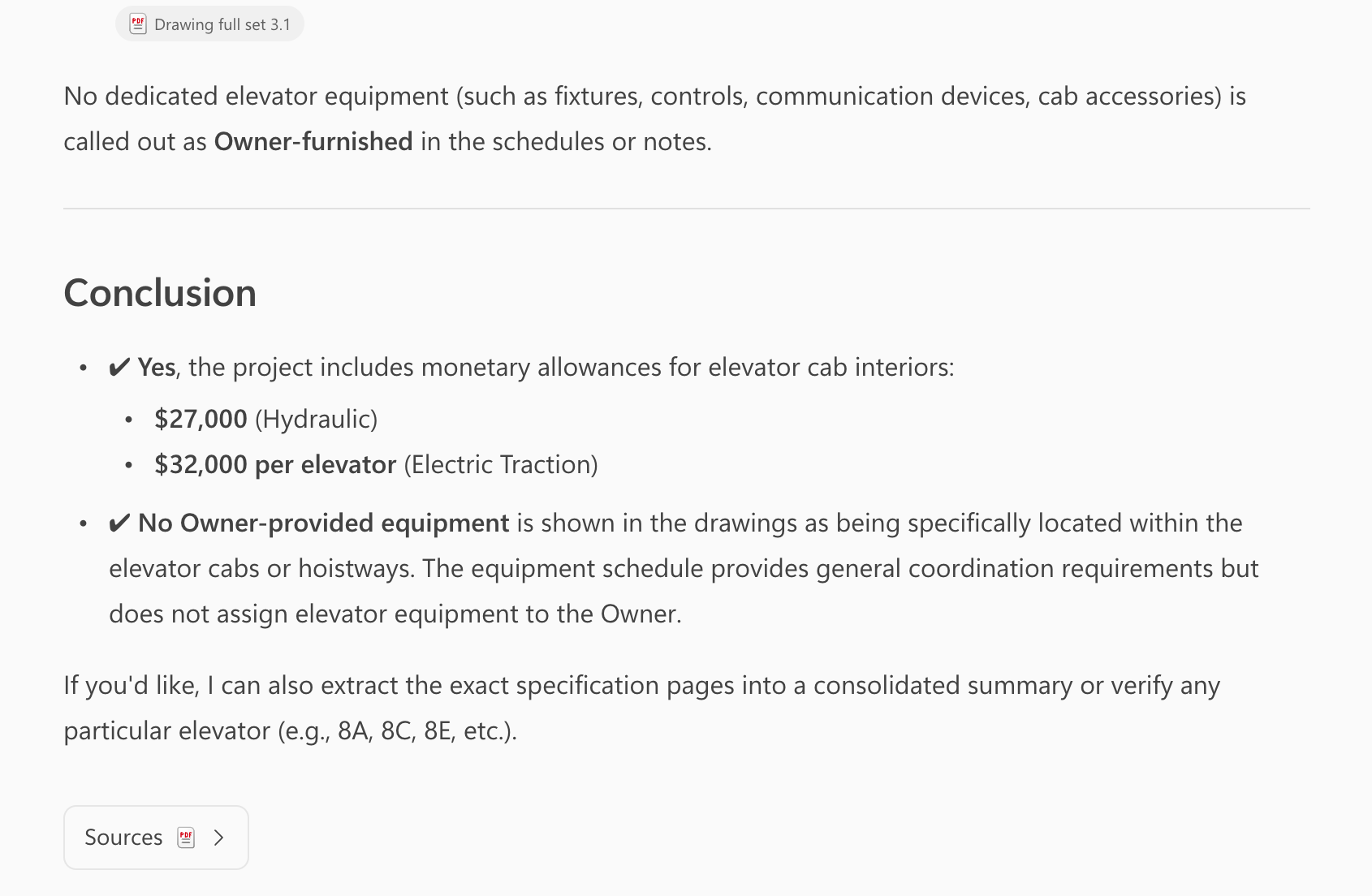
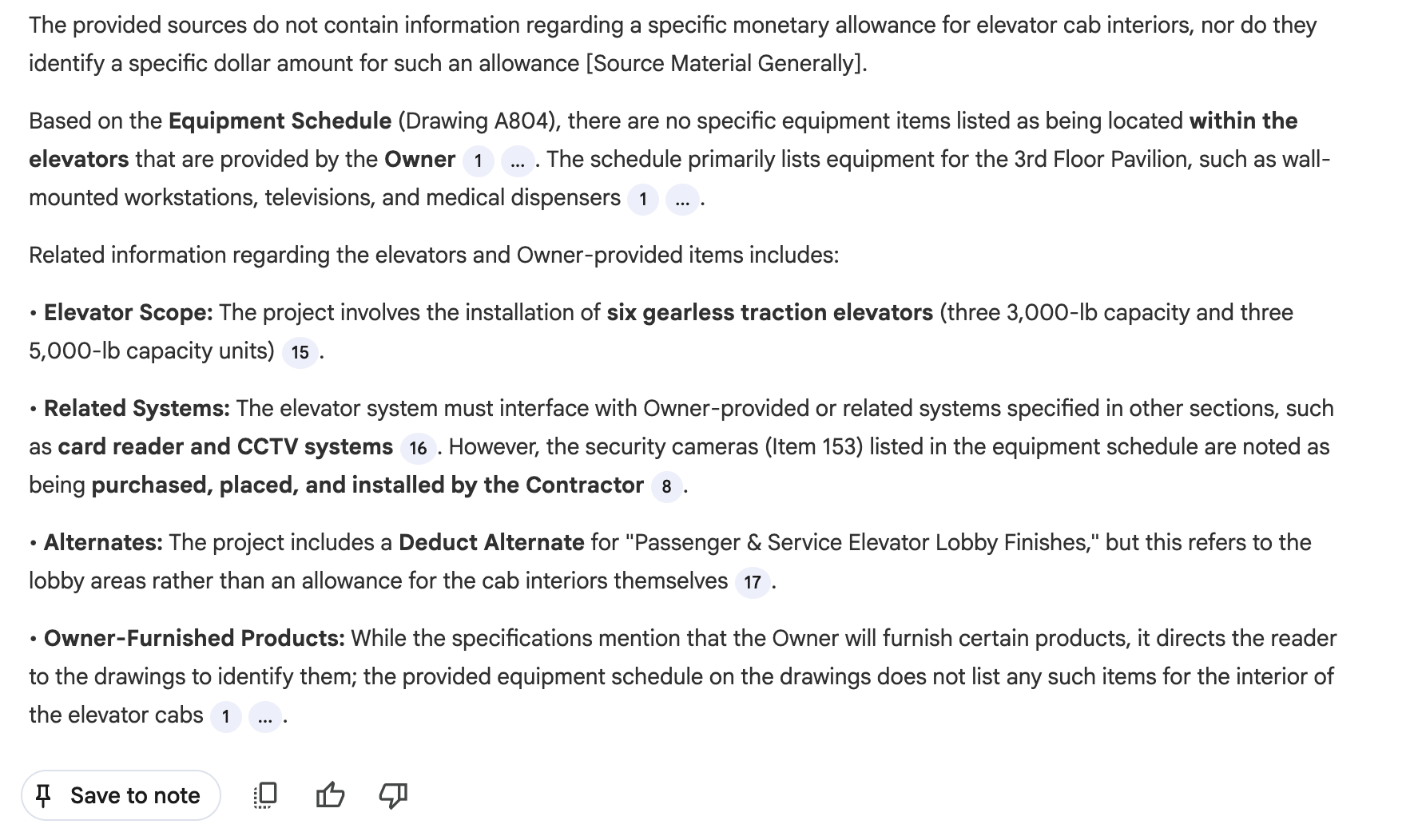
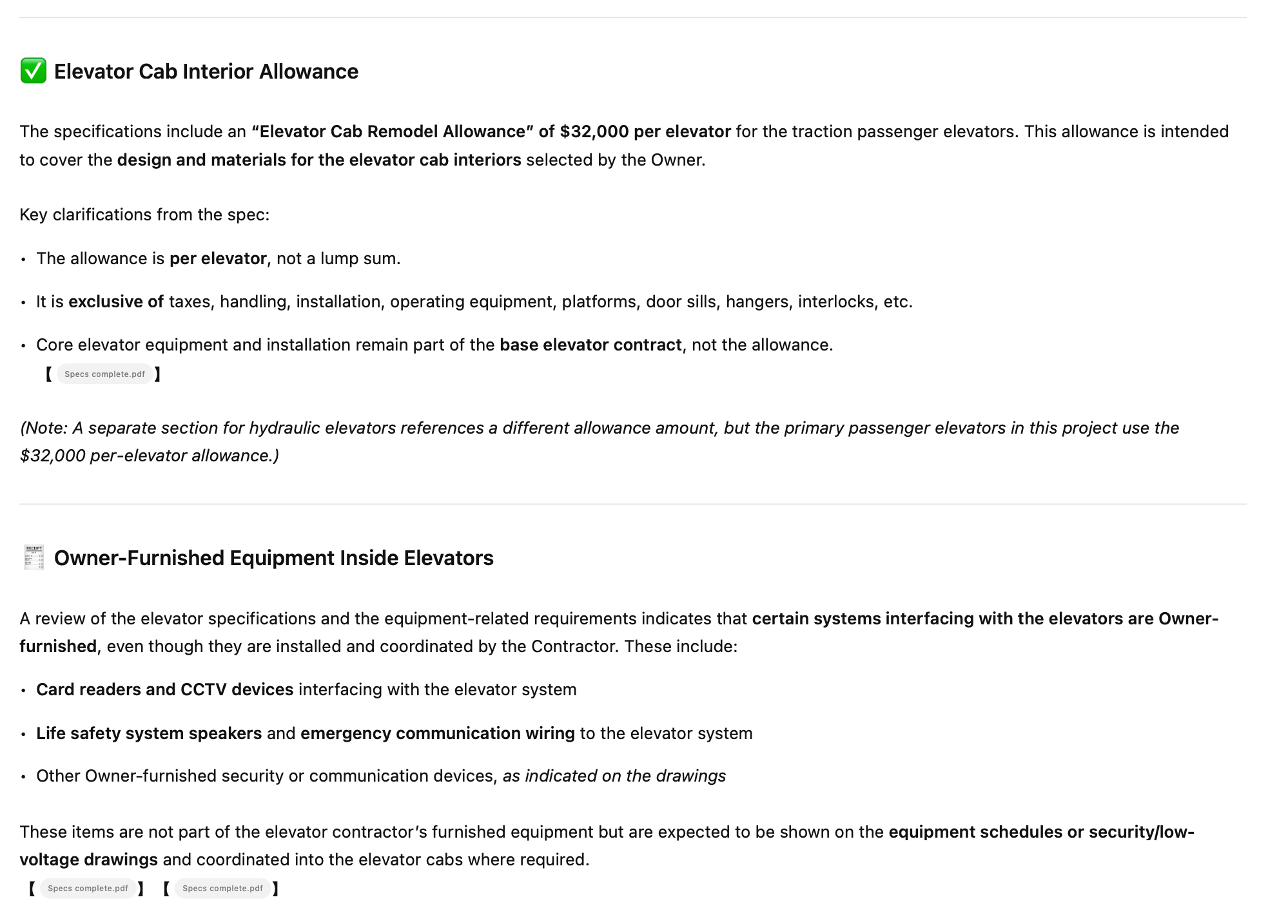
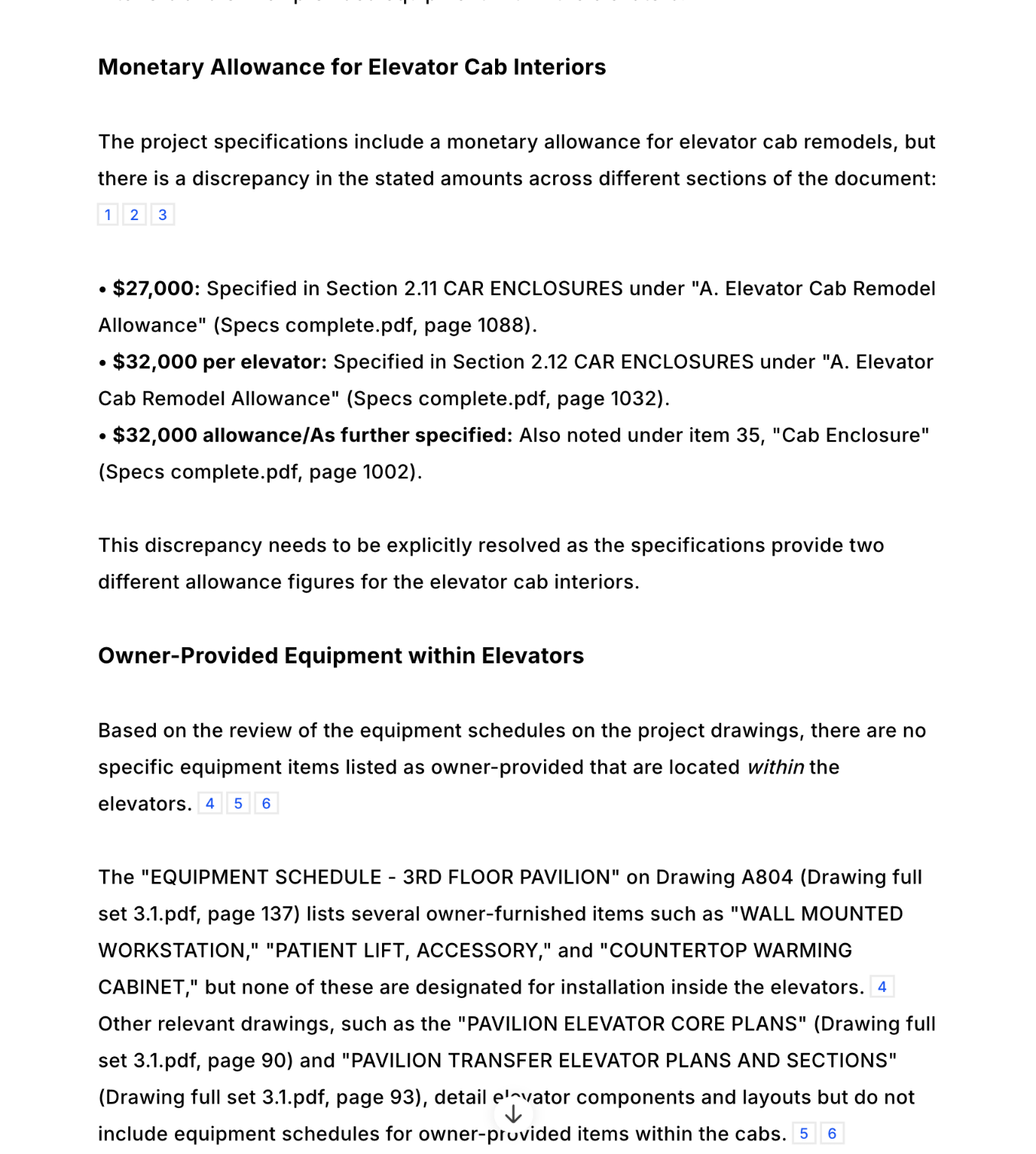
- ✅ Specbook AI: Correctly identified the elevator cab allowance and cross-referenced the equipment schedule to find owner-provided items.
- ✅ Copilot: Successfully found the allowance in the specs and identified owner-provided equipment from the drawings.
- ✅ Gemini: Correctly cross-referenced between the specifications and drawing schedules.
- ✅ ChatGPT: Successfully performed the cross-reference between specs and drawings.
- ❌ Claude: Could not test due to file size limitations preventing full document upload.
- ✅ DataGrid: Correctly identified the allowance and cross-referenced the equipment schedule.
Complex Calculations
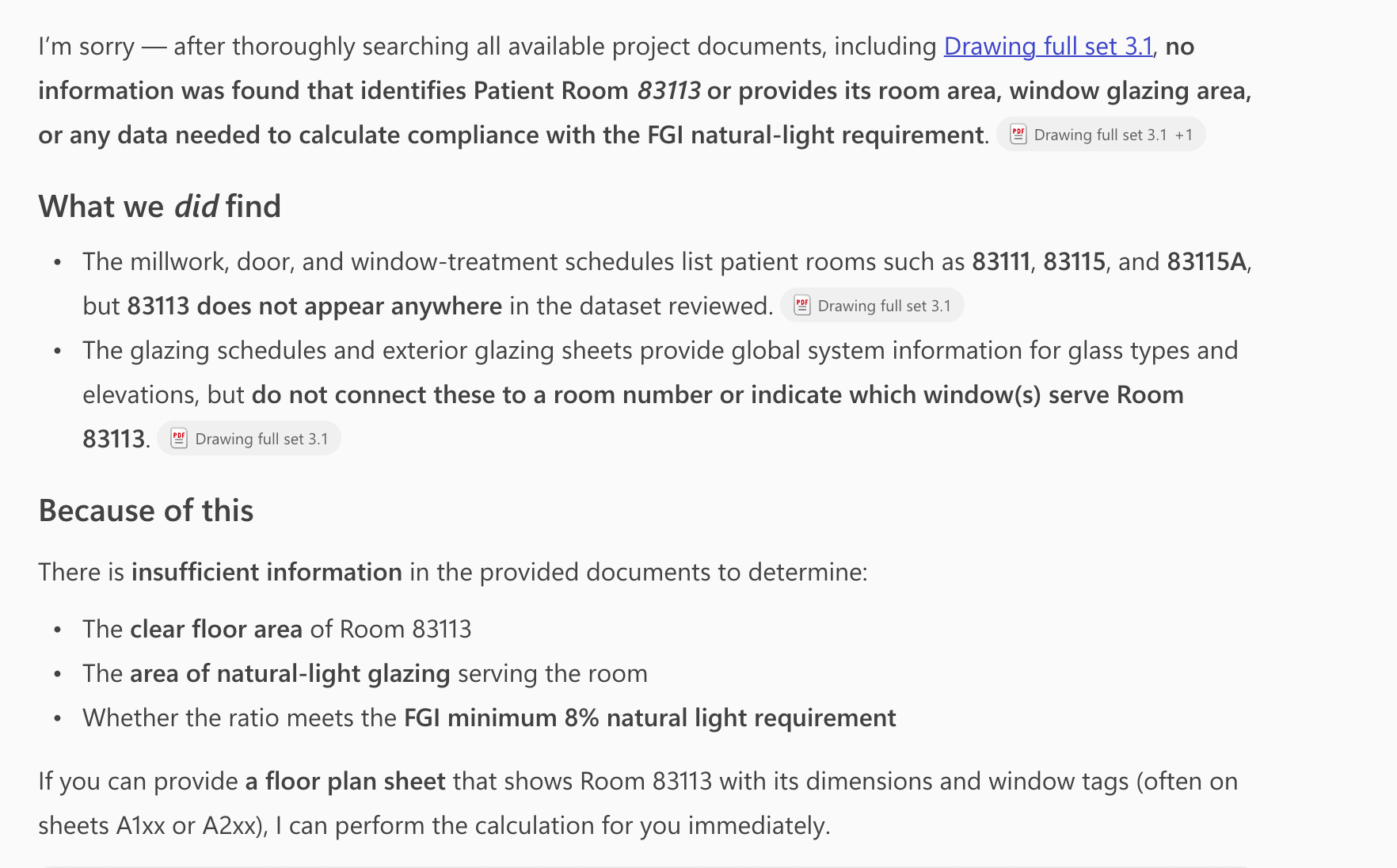
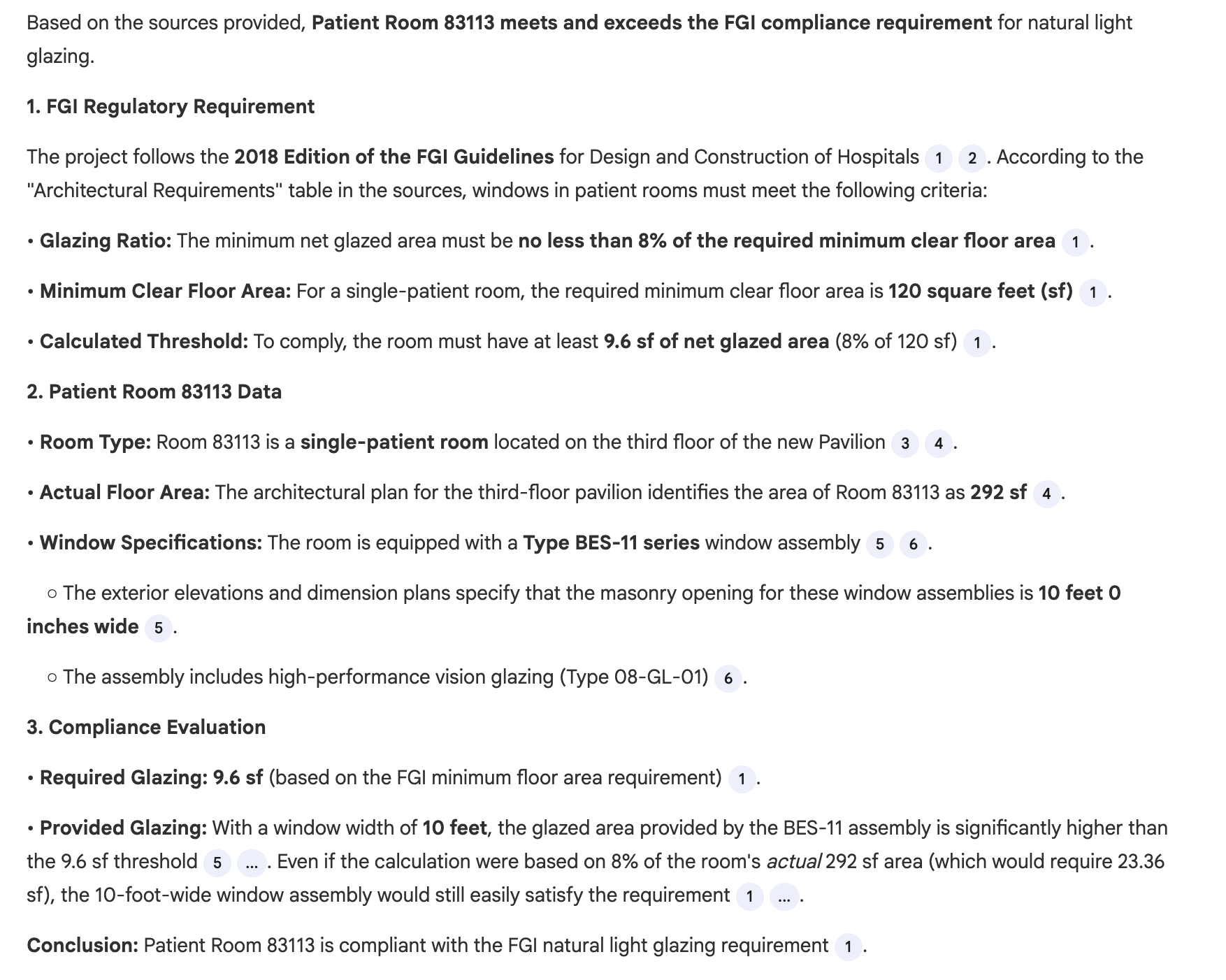
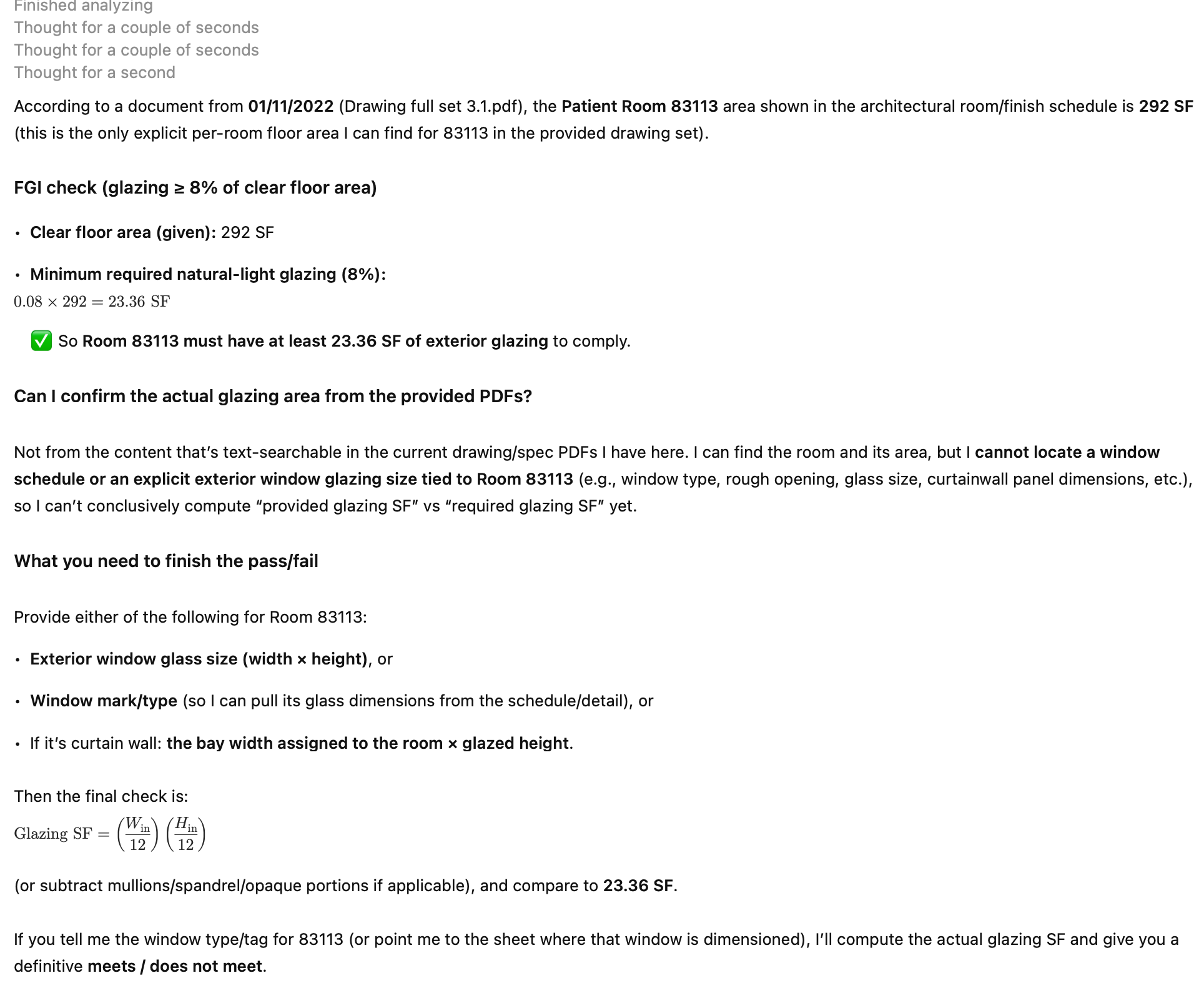
"Perform a compliance check: Does Patient Room 83113 meet the FGI requirement that natural light glazing must be at least 8% of the clear floor area?"
What we're testing: The system must locate the code requirement, extract room dimensions from floor plans, look up window dimensions from the window schedule, perform the calculation, and provide a pass/fail result. This tests multi-step reasoning with data synthesis from multiple drawing sources.
Results:
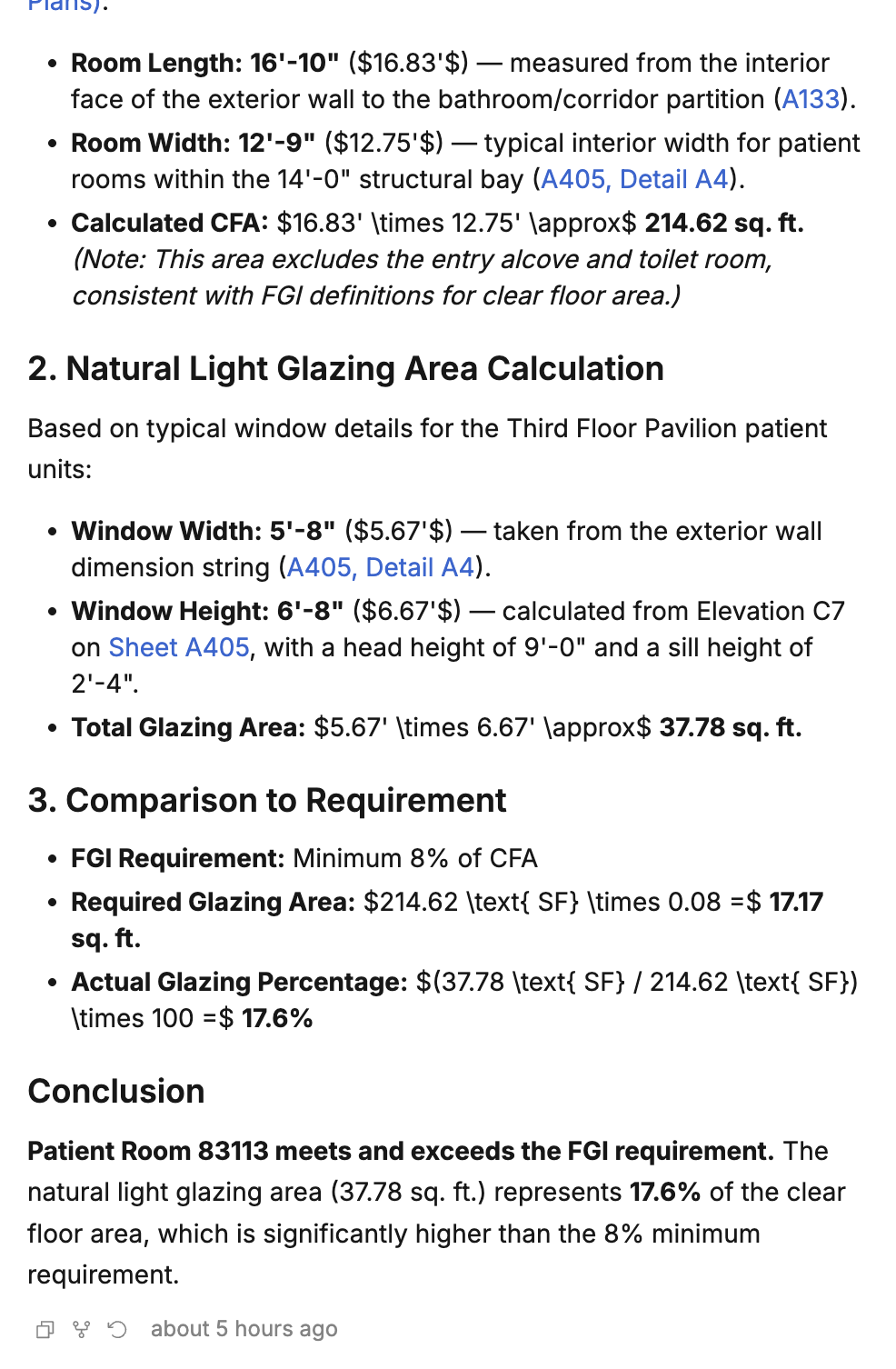
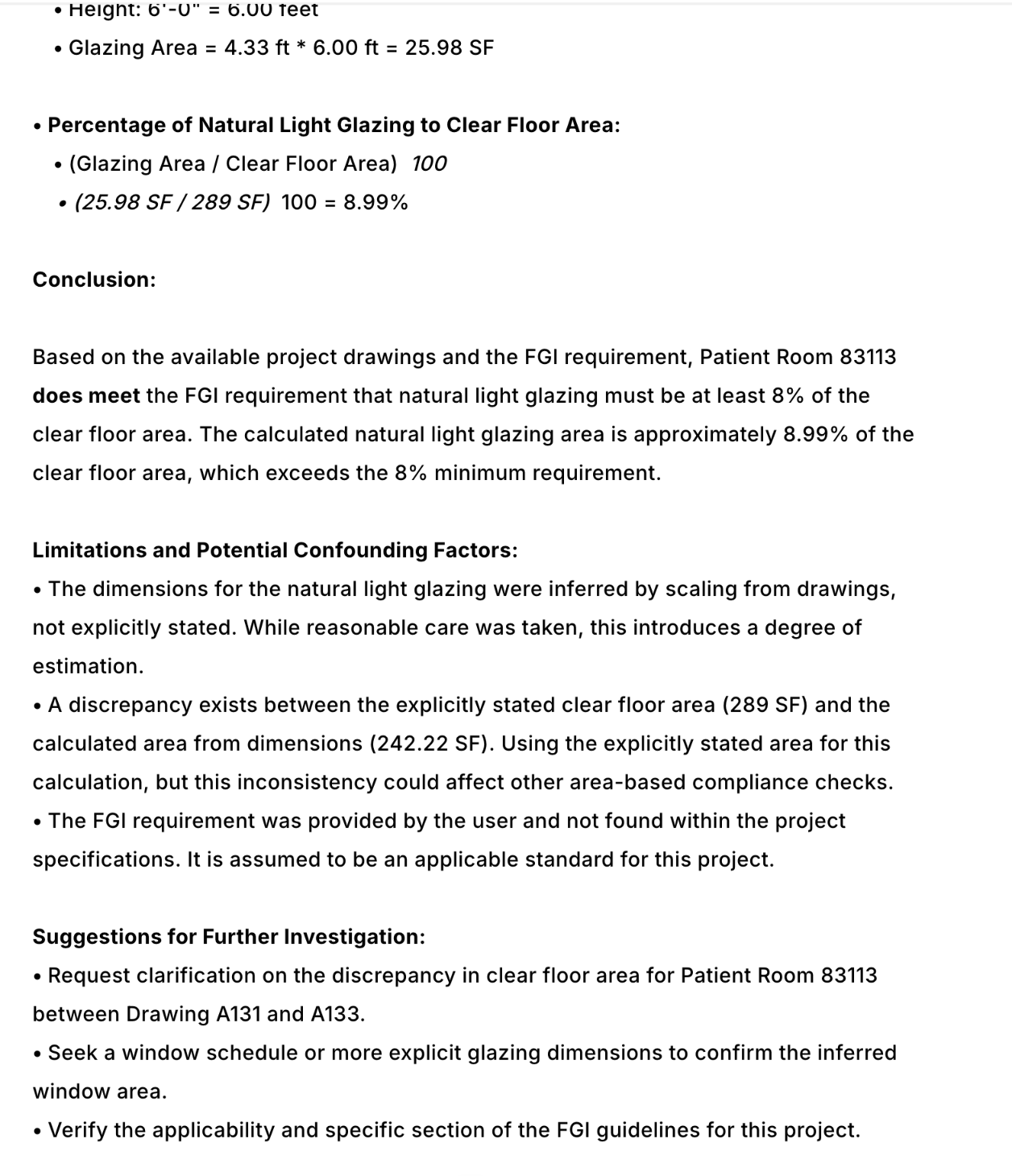
- ✅ Specbook AI: Correctly identified the room, extracted dimensions, performed the calculation, and provided a compliance result.
- ❌ Copilot: Unable to identify the specific patient room from the drawings.
- ✅ Gemini: Correctly performed the calculation and provided a compliance result.
- ❌ ChatGPT: Unable to identify the specific patient room from the drawings.
- ❌ Claude: Could not test due to file size limitations preventing full document upload.
- ✅ DataGrid: Correctly performed the calculation and provided a compliance result.
Long-Running Tasks
"Generate a complete submittal log for this project."
What we're testing: The system must read through all specification sections, identify every submittal requirement, and generate a comprehensive structured table covering the entire project. This tests the ability to systematically process large document sets and produce long-form structured outputs rather than answering one-off questions.
Results:
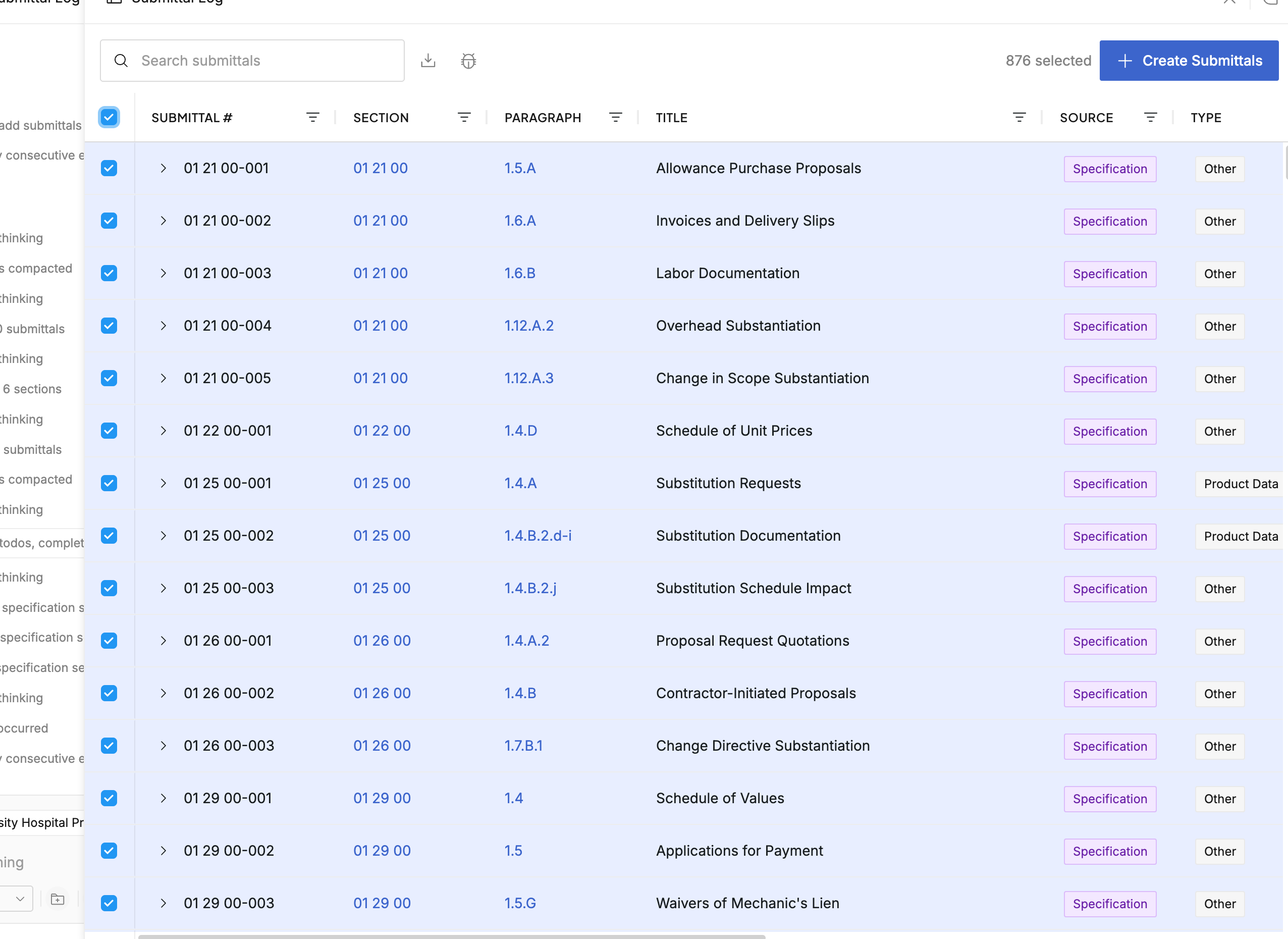
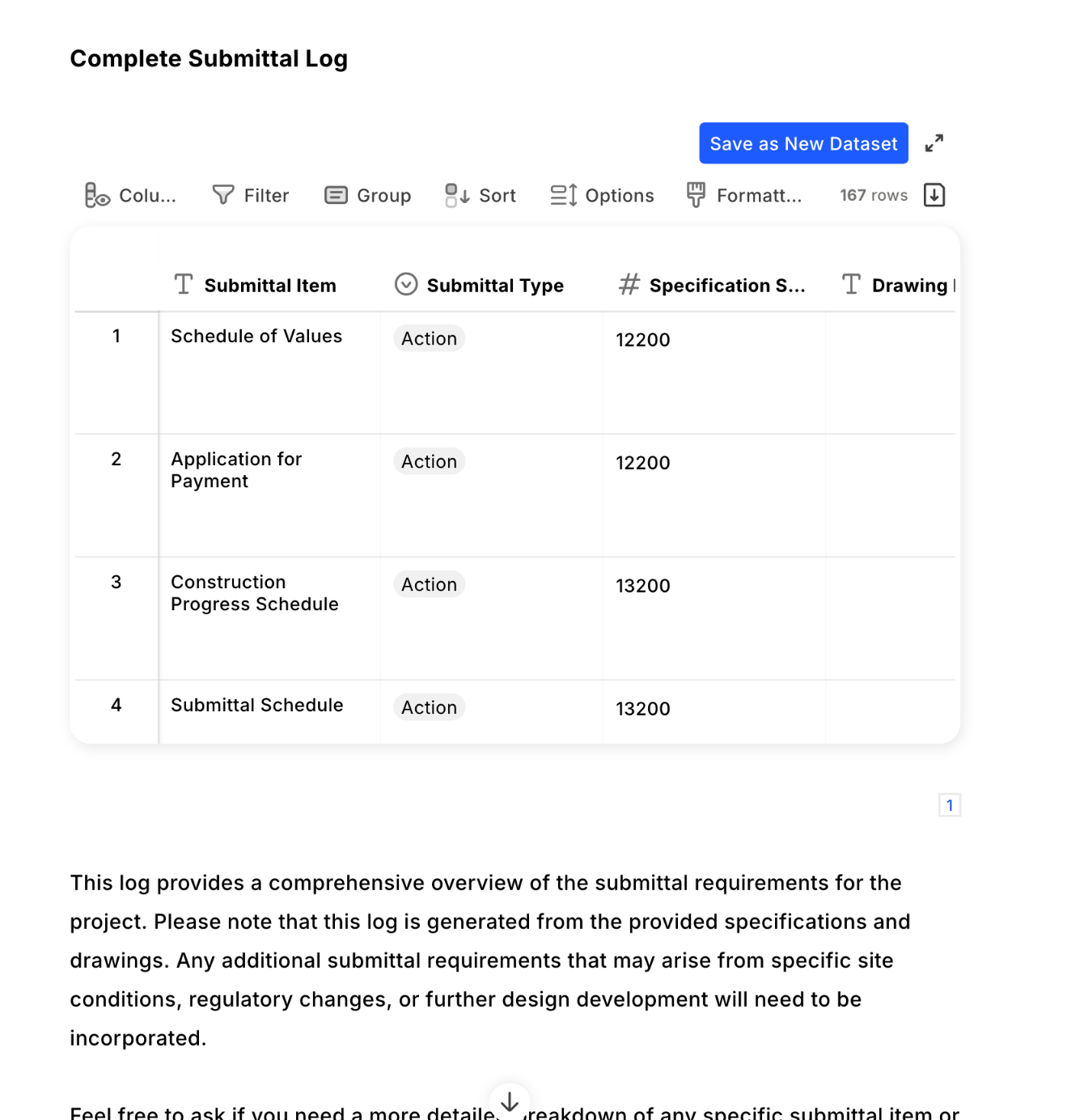
- ✅ Specbook AI: Successfully generated a comprehensive submittal log covering all specification sections with structured output.
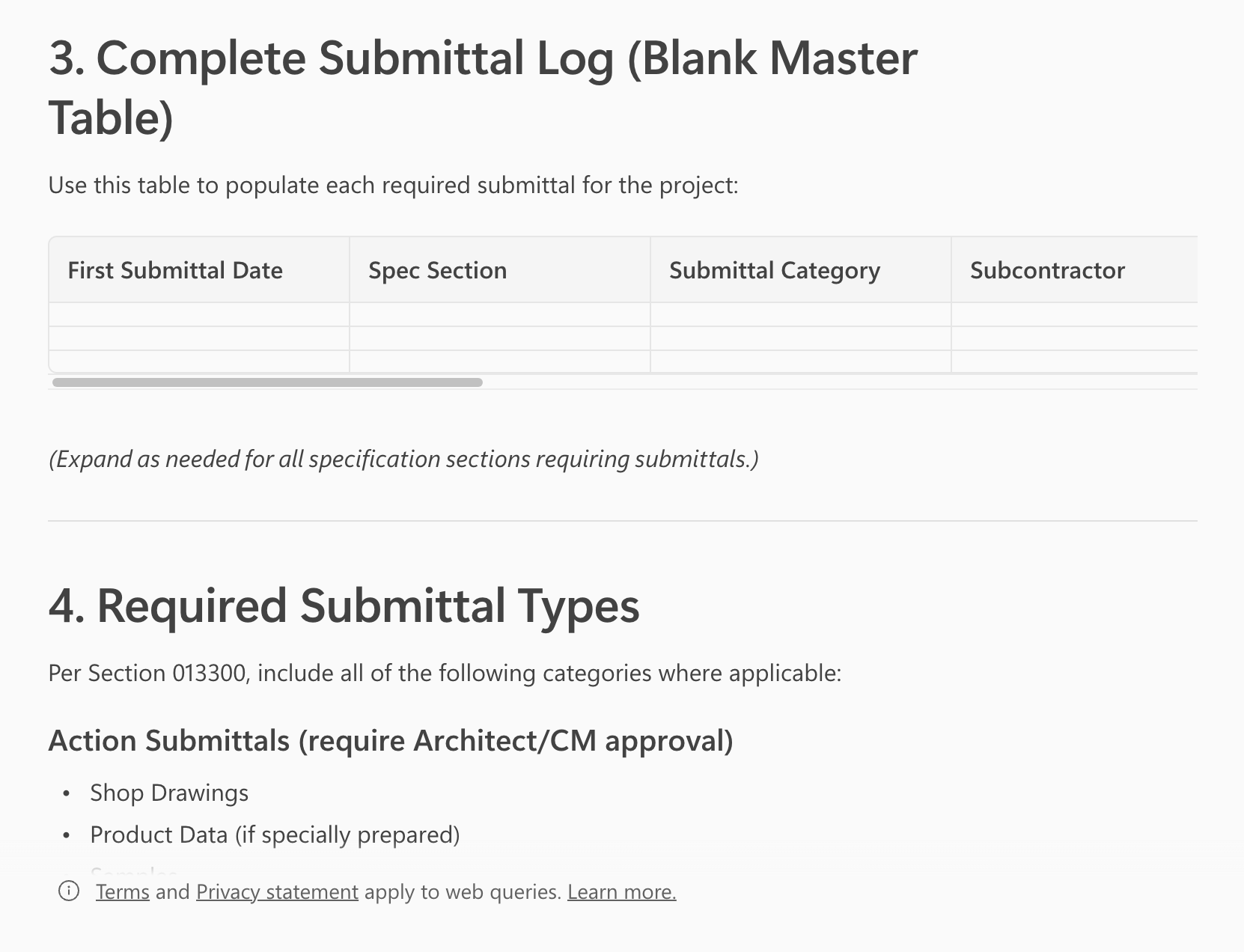
- ❌ Copilot: Did not generate a submittal log—instead provided instructions on how one could be created manually.
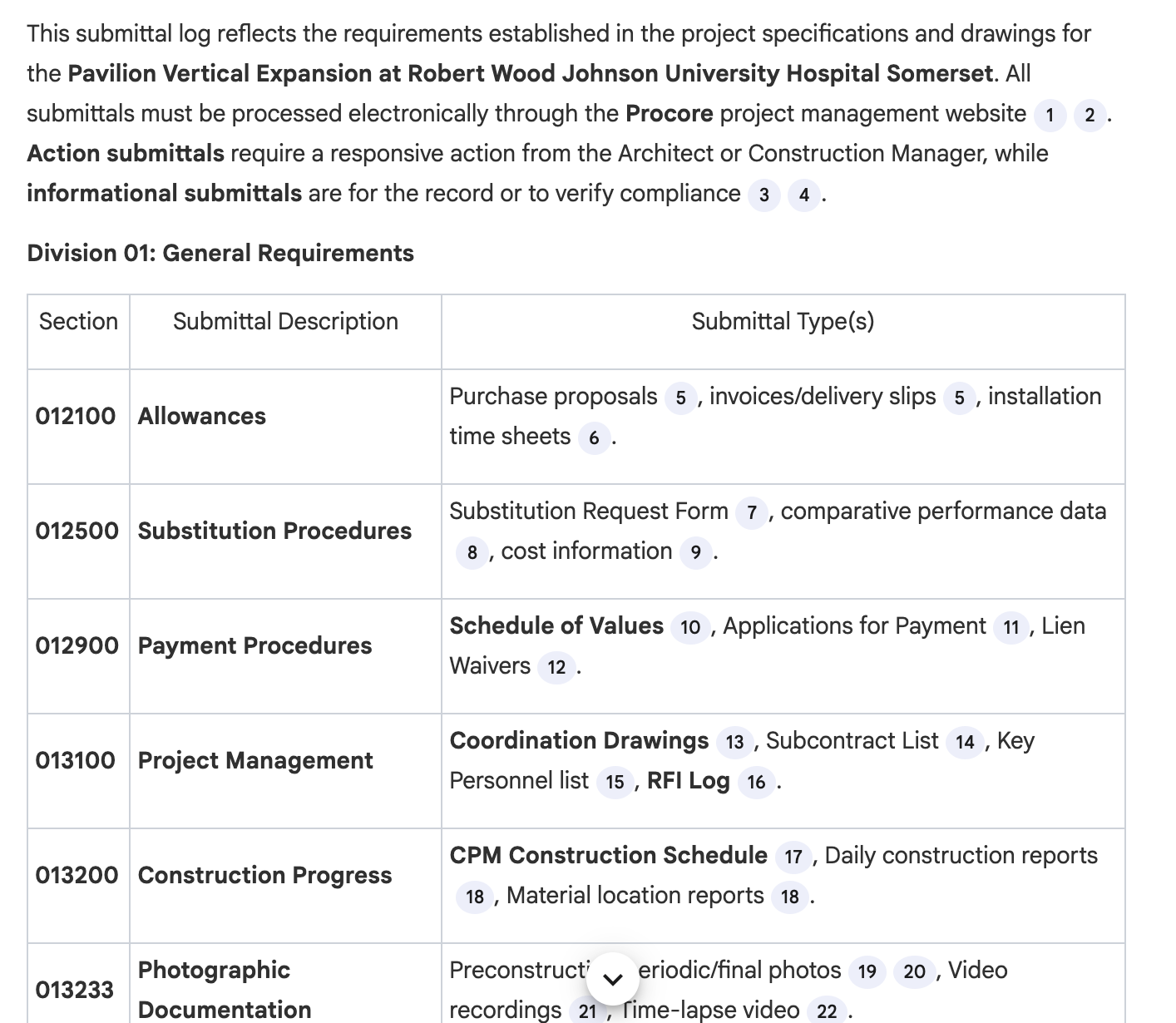
- ❌ Gemini: Produced only a small subset of submittals, appearing to finish but missing the majority of specification sections.
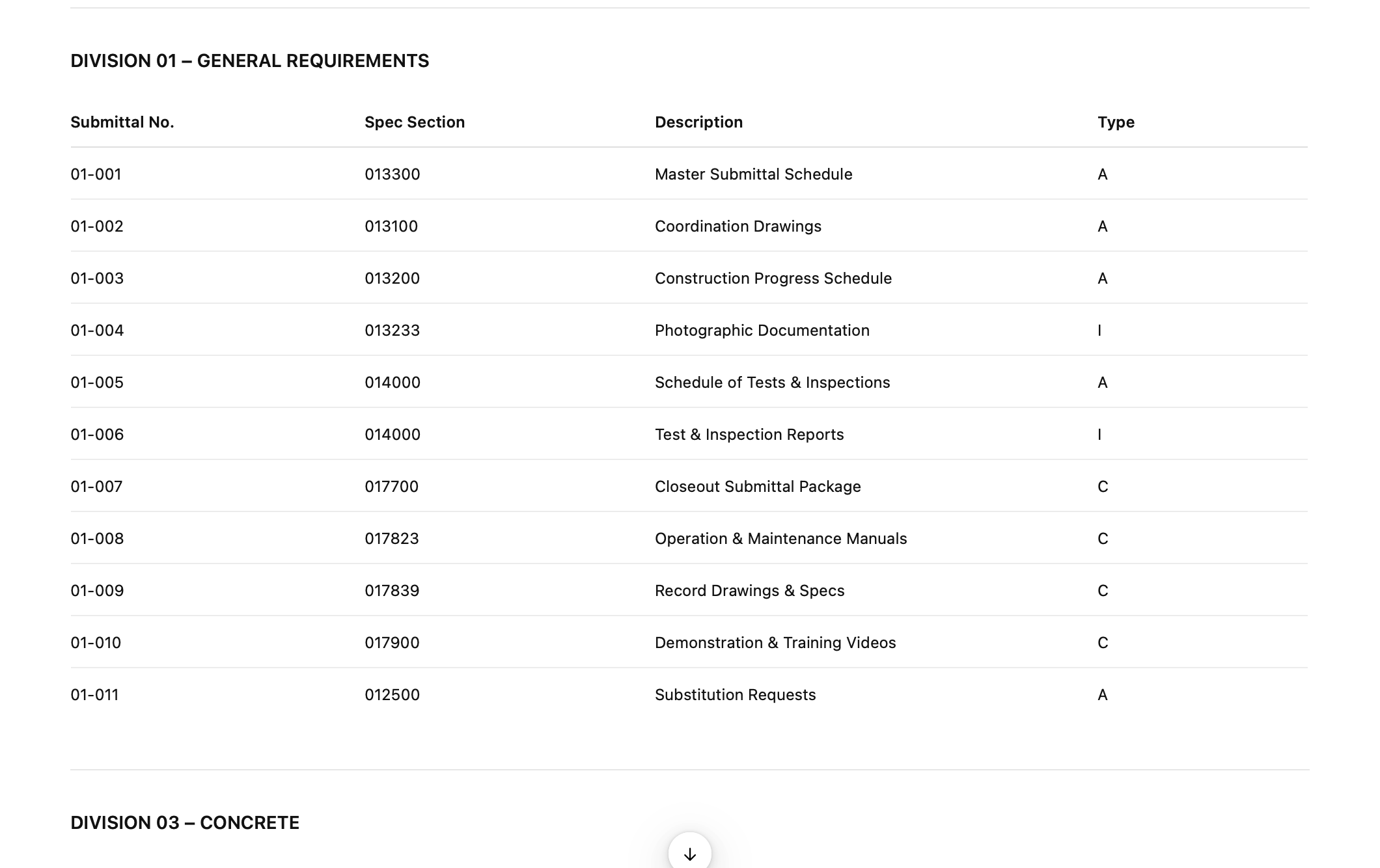
- ❌ ChatGPT: Produced only a small subset of submittals, appearing to finish but missing the majority of specification sections.
- ❌ Claude: Could not test due to file size limitations preventing full document upload.
- ❌ DataGrid: Produced only a small subset of submittals, appearing to finish but missing the majority of specification sections.
This question highlights a fundamental limitation of most conversational AI tools: they operate as single question-and-answer exchanges with output length constraints. Generating a complete submittal log requires agentically processing hundreds of spec sections and producing a large structured artifact—a task that demands sustained, multi-step execution rather than a single response.
Citation Accuracy
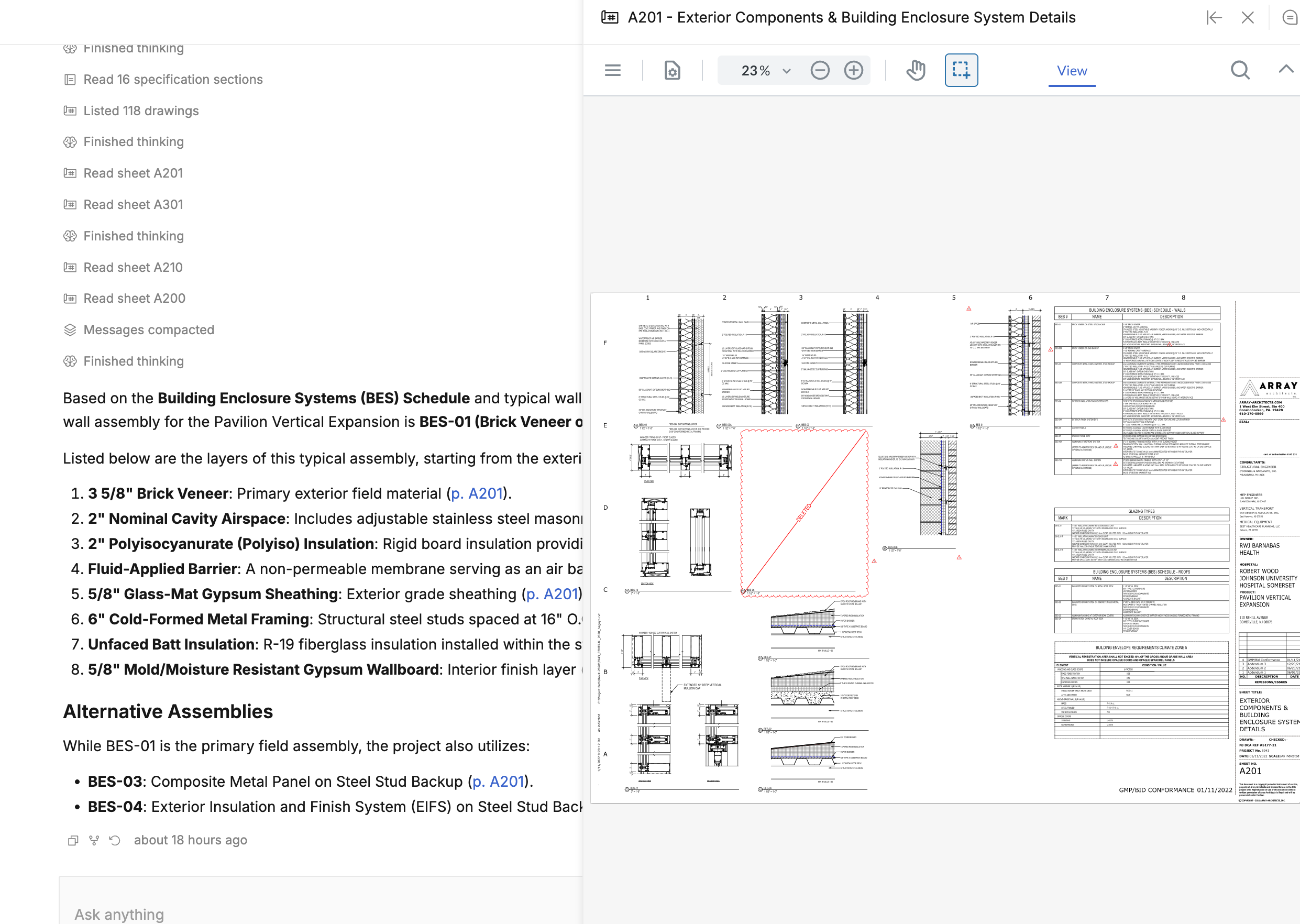
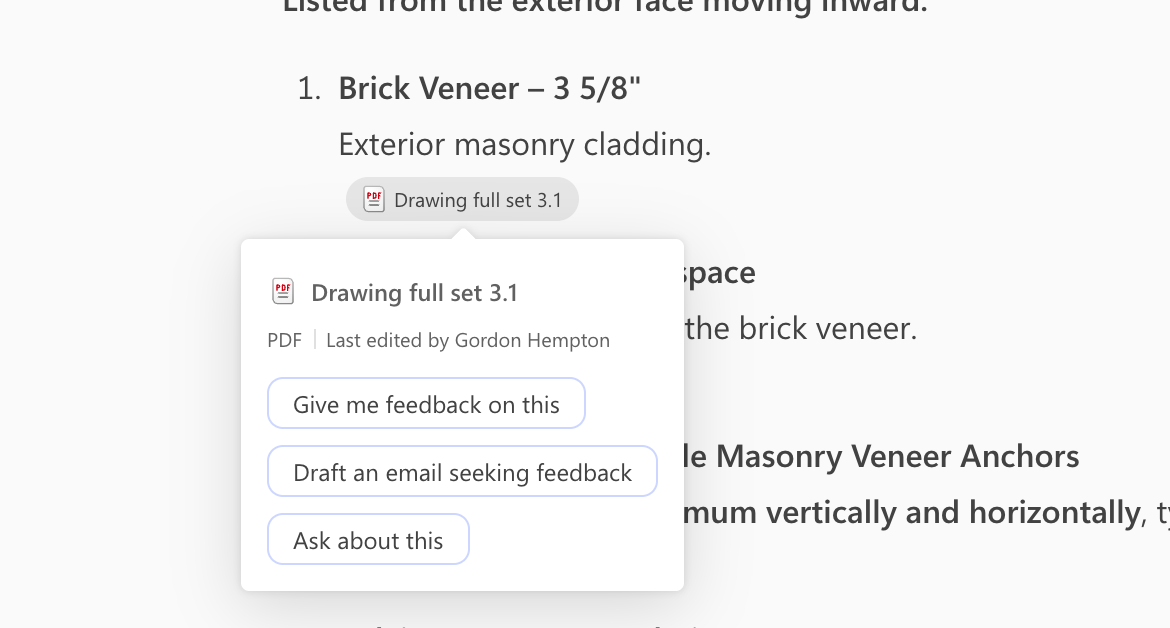
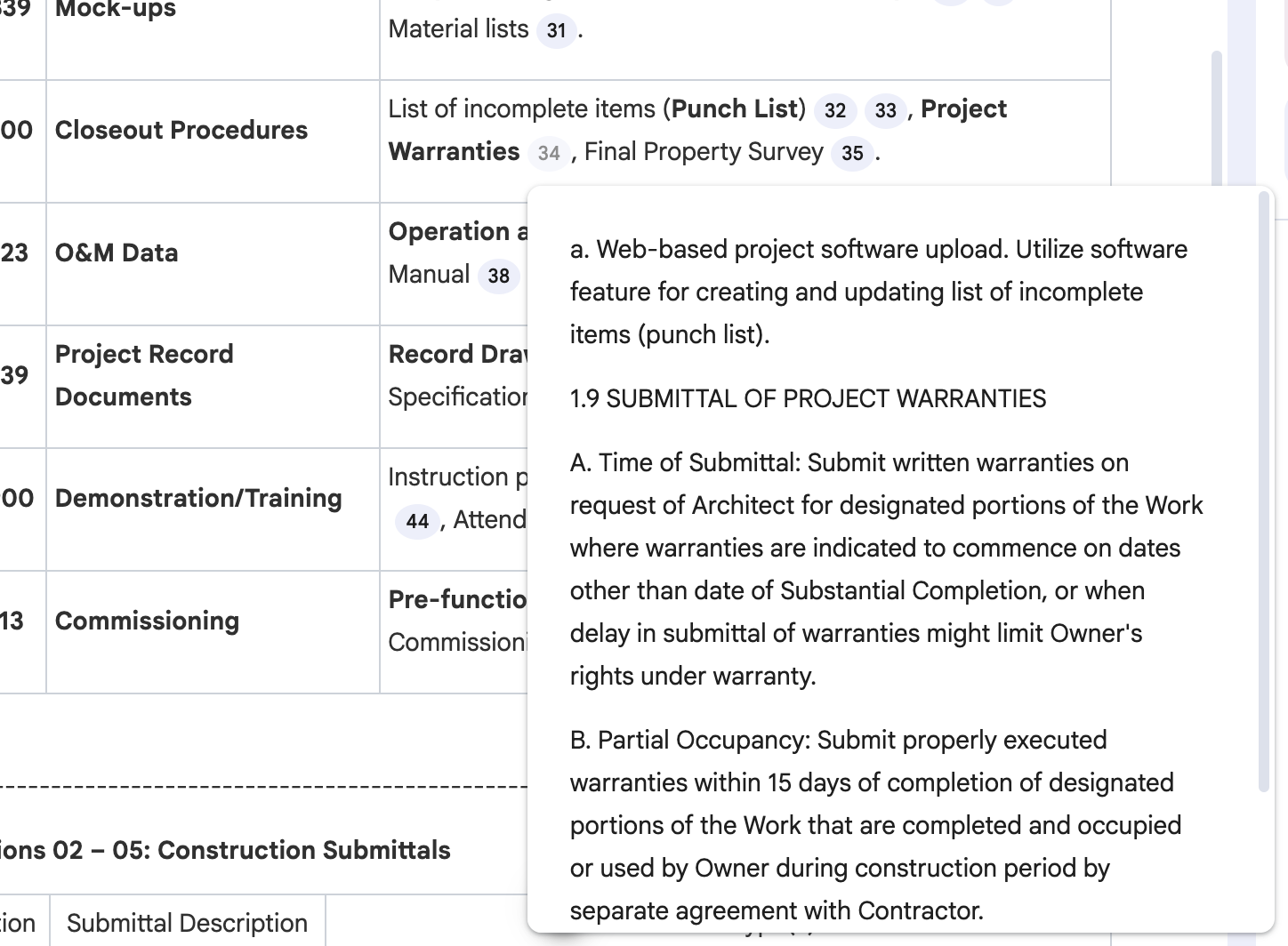
In construction, answers without sources are nearly useless. When the AI says the fire rating requirement is 2 hours, you need to know exactly where that came from—the spec section, page number, or drawing sheet. We evaluated whether each tool provides specific citations and whether you can click through to verify the source directly.
Specbook AI
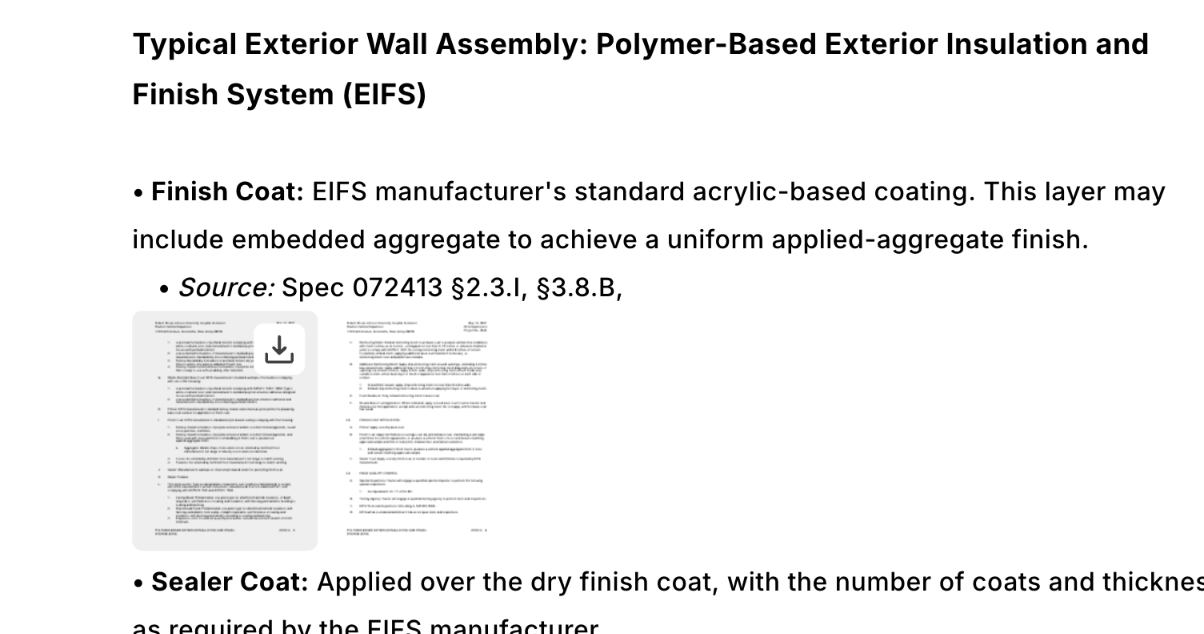
- ✅ Source citations: Provides structured references with specific section and paragraph numbers, making it easy to trace any answer back to its exact source.
- ✅ Verification: Highlights the relevant passage and displays it side-by-side with the original document for instant verification.
Microsoft Copilot
- ❌ Source citations: Only references entire documents (e.g., "Project Specs.pdf") without any section or page-level granularity—effectively useless for construction documents that span thousands of pages.
- ❌ Verification: No way to navigate directly to the relevant passage within the source document.
Google Gemini
- ⚠️ Source citations: Shows the OCR'd content used to generate the answer and links to the raw OCR results in the source document.
- ⚠️ Verification: Can navigate to the source content, but lacks structured metadata like section numbers and doesn't provide an easy way to browse nearby pages in context.
ChatGPT
- ❌ Source citations: Only references entire documents without section or page-level specificity, providing no practical way to locate the source in a large document set.
- ❌ Verification: No way to navigate directly to the relevant passage within the source document.
Claude
- ❌ Source citations: Could not test due to file size limitations preventing full document upload.
- ❌ Verification: Could not test due to file size limitations preventing full document upload.
DataGrid
- ✅ Source citations: Shows individual pages as references, providing page-level granularity for tracing answers back to source documents.
- ⚠️ Verification: Can view referenced pages, but lacks structured metadata (section numbers, paragraph references) and makes it difficult to inspect nearby pages in the source documents.
Collaboration
Construction projects involve dozens of stakeholders—project managers, estimators, superintendents, subcontractors. If every team member has to upload and configure their own documents, adoption won't happen. We evaluated whether projects can be shared across team members, whether a single setup benefits everyone, how document updates are synchronized, and what permission controls exist for different roles.
Specbook AI
- ✅ Shared projects: Projects are shared across the entire team—any member can query the same document set without re-uploading.
- ✅ Single setup: One team member configures the project and everyone benefits immediately.
- ✅ File sync: Documents stay in sync as new revisions are uploaded and processed.
- ✅ Permission controls: Role-based access controls allow granular permissions for different team members.
Microsoft Copilot
- ✅ Shared projects: Copilot agents can be shared across the organization, giving team members access to the same document context.
- ✅ Single setup: Once a Copilot agent is configured with the project's OneDrive folder, all authorized users can query it.
- ✅ File sync: Documents sync automatically through OneDrive, and Copilot picks up changes through Microsoft's indexing infrastructure.
- ✅ Permission controls: Inherits permission controls from OneDrive and SharePoint, providing enterprise-grade access management.
Google Gemini
- ❌ Shared projects: NotebookLM notebooks are tied to individual accounts with limited sharing capabilities for collaborative querying.
- ❌ Single setup: Each team member must create their own notebook and upload documents separately.
- ❌ File sync: No automatic sync—documents must be manually re-uploaded when revisions are issued.
- ✅ Permission controls: Inherits permission controls from Google Drive for any shared source files.
ChatGPT
- ✅ Shared projects: Projects can be shared with team members, allowing collaborative access to the same document set.
- ✅ Single setup: Once a project is created and documents are uploaded, shared members can query immediately.
- ✅ File sync: Documents persist in the project and are available across sessions.
- ⚠️ Permission controls: Limited permission granularity on shared projects—no role-based access or fine-grained controls.
Claude
- ✅ Shared projects: Projects can be shared with team members for collaborative access.
- ✅ Single setup: Shared project members can query the same uploaded documents without re-uploading.
- ✅ File sync: Documents persist in the project across sessions.
- ⚠️ Permission controls: Limited permission granularity on shared projects—no role-based access or fine-grained controls.
DataGrid
- ✅ Shared projects: Projects are shared across the organization with collaborative access to all uploaded documents.
- ✅ Single setup: One team member configures the project and all authorized users can query immediately.
- ✅ File sync: Documents persist and are available to all team members.
- ✅ Permission controls: Enterprise permission controls with role-based access management.
Security & Privacy
Construction documents often contain sensitive information—proprietary designs, pricing data, security layouts. Before uploading project files to any AI platform, you need to understand how that data is protected. We evaluated compliance certifications (SOC2, GDPR), data residency options, whether your data is used to train AI models, and enterprise security features like SSO and audit logs.
Specbook AI
- ✅ Compliance: SOC 2 Type II certified, demonstrating enterprise-grade security controls. Trust Center
- ✅ Data residency: Data encrypted at rest and in transit, hosted on secure cloud infrastructure.
- ✅ Training policy: Customer data is never used to train AI models—your project documents remain yours alone.
- ✅ Access controls: SSO integration supported, role-based access controls, and comprehensive audit logging.
Microsoft Copilot
- ✅ Compliance: SOC 1, SOC 2, and SOC 3 compliant with HIPAA, GDPR, and CCPA support. Privacy documentation
- ✅ Data residency: EU Data Boundary compliance available. Data encrypted at rest and in transit.
- ✅ Training policy: Prompts and responses are never used to train foundation models.
- ✅ Access controls: Enterprise-grade controls through Microsoft 365 permissions, comprehensive audit logging. Note: Reliance on Microsoft Graph permissions means overly broad file sharing can inadvertently expose data to Copilot queries.
Google Gemini
- ✅ Compliance: SOC 1/2/3 compliant, ISO 27001/27017/27018/27701 certified, ISO 42001 (AI management) certified. FedRAMP High authorization and HIPAA support for enterprise customers. Security whitepaper
- ✅ Data residency: All data stays within your Google tenant. VPC Service Controls and Private Service Connect available for network isolation.
- ✅ Training policy: Prompts and responses stored up to 30 days for debugging but not used for model training. Admins can shorten or disable prompt storage.*
- ✅ Access controls: Standard Google Workspace admin controls and audit logging.
ChatGPT
- ✅ Compliance: SOC 2 Type 2 audits covering Security, Availability, Confidentiality, and Privacy. ISO 27001, 27017, 27018, and 27701 certifications. Enterprise privacy*
- ✅ Data residency: Available in 10+ regions including Europe, UK, US, Canada, and Japan. Data encrypted with AES-256 at rest and TLS 1.2+ in transit.*
- ✅ Training policy: Enterprise, Business, and Edu plans do not use data for training unless customers explicitly opt in. Zero data retention available on API platform.*
- ✅ Access controls: Enterprise Key Management (EKM) for customer-controlled encryption keys. Configurable retention periods.*
Claude
- ✅ Compliance: SOC 2 Type II audits with ISO 27001 certification. Trust Center*
- ✅ Data residency: Data encrypted with TLS 1.2+ in transit and AES-256 at rest.*
- ✅ Training policy: Commercial customers (Claude for Work, Enterprise, API) data is not used for training by default. Zero Data Retention (ZDR) available under security addendum.*
- ✅ Access controls: SAML 2.0 and OIDC-based SSO supported. Custom retention periods configurable (minimum 30 days).*
DataGrid
- ✅ Compliance: Transitioning to align with Procore's enterprise standards (SOC 2 Type II). DataGrid
- ✅ Data residency: Details still being formalized post-Procore acquisition.
- ✅ Training policy: Full details on data handling and training policies post-acquisition are still being formalized.
- ✅ Access controls: Includes automated monitoring of incident reports, certifications, and worker qualifications for compliance.
Construction-Specific Features
General-purpose AI treats a specification as just another PDF. Purpose-built construction AI understands that Section 03 30 00 is concrete, that it references specific drawing sheets, and that special provisions take precedence over standard specifications. We evaluated whether each tool treats specs, drawings, submittals, and RFIs as first-class entities, supports document versioning and conforming, understands precedence rules, and can cross-reference between related documents.
Specbook AI
- ✅ First-class entities: Specifications, drawings, submittals, and RFIs are treated as distinct, interconnected entity types—not generic PDFs. The platform automatically parses specifications across formats including CSI MasterFormat, Caltrans, and other industry standards. Specbook AI
- ✅ Document versioning: Native support for tracking addenda, bulletins, and revisions. Teams can manage document conforming workflows directly in the platform.
- ✅ Precedence handling: Built-in understanding of precedence rules (e.g., special provisions override standard specifications, Caltrans standards vs project-specific requirements). Questions are answered from the most authoritative source first.
- ✅ Cross-referencing: Automatic cross-references between spec sections and drawing sheets. Maintains relationships between related documents.
Microsoft Copilot
- ❌ First-class entities: Treats construction documents as generic files without understanding construction-specific semantics. No native CSI divisions or spec section numbering awareness. Microsoft Copilot in construction
- ❌ Document versioning: Uses standard SharePoint/OneDrive versioning, not construction-specific document management.
- ❌ Precedence handling: No awareness of construction document hierarchies or precedence rules.
- ❌ Cross-referencing: Cannot link specs to drawings natively. Integration with BIM tools like Autodesk possible through third-party connectors, but document intelligence remains generic.
Google Gemini
- ❌ First-class entities: General-purpose AI without construction-specific knowledge built in. Treats specifications the same as any other technical PDF. Document processing docs
- ❌ Document versioning: No construction-specific document versioning support.
- ❌ Precedence handling: Doesn't understand MasterFormat organization or construction document precedence rules.
- ❌ Cross-referencing: Cannot natively link spec sections to drawing sheets. Powerful at extracting structured data from PDFs but misses domain context.
ChatGPT
- ❌ First-class entities: General-purpose assistant that doesn't maintain persistent knowledge of project documents as structured entities. ChatGPT in construction
- ❌ Document versioning: No built-in document version tracking. Each conversation starts fresh.
- ❌ Precedence handling: No understanding of spec section relationships or document precedence rules.
- ❌ Cross-referencing: Cannot link specs, drawings, and submittals as interconnected entities. Third-party integrations like Togal.AI add some semantic search capabilities.
Claude
- ❌ First-class entities: Treats construction documents as generic text. No built-in support for spec section parsing. Claude in construction
- ❌ Document versioning: No document conforming workflows or version tracking support.
- ❌ Precedence handling: Doesn't natively understand construction document structures or precedence rules.
- ❌ Cross-referencing: No built-in drawing sheet references or cross-document linking. Excels at long-form processing (200K token context) but lacks structured document understanding. Third-party projects like ClaudeHopper emerging for AEC capabilities.
DataGrid
- ⚠️ First-class entities: Built specifically for construction workflows. Understands construction document types and can automate document classification. DataGrid blog
- ⚠️ Document versioning: Some document management capabilities, still maturing with Procore integration.
- ❌ Precedence handling: Detailed capabilities around spec section parsing and precedence handling are still maturing.
- ⚠️ Cross-referencing: Connects fragmented data sources (ERP systems, Procore, Autodesk, PlanGrid) and orchestrates actions across them. Can extract requirements from RFPs, specifications, and drawings.
Methodology
Our evaluation used a simplified but representative test scenario:
Test Documents:
- Complete technical specifications: 217 spec sections, 2,341 pages (46.3 MB)
- Complete drawing set: 255 sheets covering architectural, structural, and MEP disciplines (195.9 MB)
This document set is typical of medium-sized commercial construction projects—large enough to challenge AI systems but representative of what preconstruction teams work with regularly. Note that a real-world project would be significantly more complex, including addenda, RFIs, municipal standards, geotechnical reports, and other supplementary documents that must be cross-referenced alongside the core specs and drawings.
Models Used: Each platform was tested using its most capable model available. When premium tiers or advanced models were available, we used them to give each platform its best chance at handling complex construction queries.
Scoring: Each criterion was evaluated and scored based on whether the tool fully supported the capability (✅), partially supported it (⚠️), or did not support it at all (❌).
Other Considerations
This evaluation focused on measurable, testable criteria, but there are several additional factors worth considering when choosing an AI tool for construction workflows.
Agentic Capabilities
The most significant gap between general-purpose AI and construction-specific tools isn't just answer quality—it's the ability to perform complex, multi-step work activities autonomously. Tasks like reviewing submittals for spec compliance, performing design quality reviews across disciplines, generating project takeoffs, and conducting systematic code checks all require sustained reasoning across dozens of documents. These workflows go far beyond conversational Q&A into territory that demands true agentic execution—the ability to plan a sequence of steps, execute them, and produce a comprehensive deliverable. We'll be exploring this topic in depth in a future blog post.
Workflow Integration
Getting answers is only half the battle—acting on them matters too. Can the tool create an RFI in Procore based on a spec discrepancy it found? Can it generate a submittal and push it to your system of record? Purpose-built construction platforms like Specbook AI and DataGrid offer native integrations with construction management systems, enabling bi-directional data sync and action execution. General-purpose tools like ChatGPT and Claude lack these integrations entirely, while Copilot and Gemini offer limited connectivity through their respective ecosystems but without construction-specific context.
Cost and Licensing
Enterprise AI tools vary significantly in pricing models. General-purpose tools like ChatGPT and Claude offer consumer-tier access that may work for individual users, but team-wide deployment requires enterprise plans with per-seat licensing. Microsoft Copilot requires Microsoft 365 E3/E5 licensing plus an additional per-user Copilot fee. Construction-specific tools like Specbook AI and DataGrid typically price per project or per organization, which can be more cost-effective for team-wide adoption. The right model depends on whether you need individual productivity gains or organization-wide document intelligence.
Conclusion
Across our evaluation, Specbook AI was the only tool that passed every test—from simple spec lookups to visual drawing analysis, complex calculations, and long-running tasks like generating a complete submittal log. DataGrid showed strong results on straightforward questions, calculations, and cross-references but struggled with complex spec analysis and long-form output. Google Gemini and Microsoft Copilot each had pockets of strength—Gemini handled calculations and cross-references well, while Copilot performed on simpler queries—but both fell short on visual analysis and sustained multi-step work. ChatGPT was surprisingly competitive on cross-references but failed on most drawing-related and complex tasks. Claude couldn't participate in most tests due to file size limitations that make it impractical for real construction document sets.
The foundational AI models powering these tools in 2026 are more than capable of performing complex reasoning and analysis for construction projects. The differentiator isn't raw model intelligence—it's how the platform organizes, structures, and presents project data to the model. Construction documents are not generic PDFs; they are interconnected systems of specifications, drawings, schedules, and cross-references that require deep context engineering to query effectively. The tools that performed best are the ones that invest heavily in parsing documents into structured, construction-aware representations—spec sections across formats like CSI MasterFormat and Caltrans, individual drawing sheets with identified symbols, cross-referenced entities—so the AI has the right context to reason about the right information. Without that foundation, even the most capable model is searching blindly through thousands of pages.
Ready to see how Specbook AI handles your project documents? Schedule a demo to experience the difference purpose-built construction AI can make.
Questions? Contact us at sales@specbook.ai or visit specbook.ai to learn more.
